Most businesses have marketing ideas. Very few have a digital marketing plan. The ideas live in a notebook or in the owner’s head: post more on Instagram, try Google Ads, start a newsletter. Then a busy month arrives, nothing gets done, and the ideas are still ideas in December.
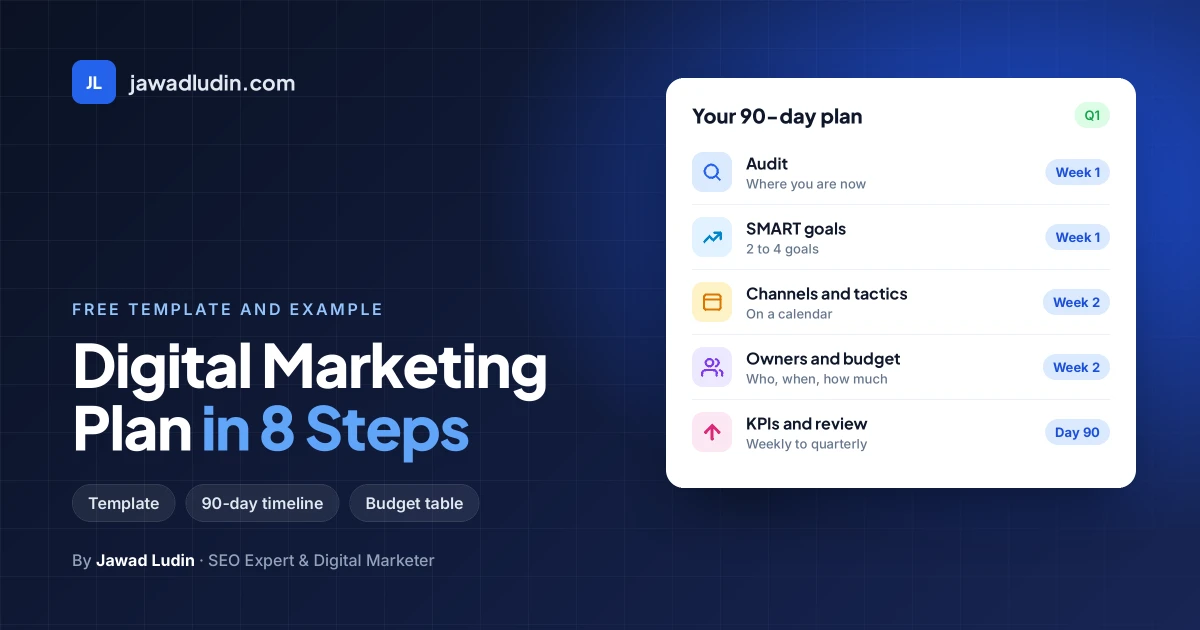
A plan turns those ideas into a short document with goals, actions, dates, owners and a budget. This guide shows you what to include, how to write each section in eight steps, a template you can copy, and a complete digital marketing plan example for a small business.
Short answer
A digital marketing plan is a written document that turns your marketing strategy into action. It covers where you are now, your target customer, SMART goals, the channels and tactics you will use, a content calendar, a budget, a timeline with owners, and the KPIs you will review. Keep it to a few pages, plan in 90-day blocks and update it at least once a year.
What is a digital marketing plan?
A digital marketing plan is the working document behind your online marketing. Where a strategy decides who you target and why they should choose you, the plan decides what happens next week, who does it, what it costs and how you will know it worked. The U.S. Small Business Administration describes the relationship well: “Your marketing plan turns your strategy into action.”
The Australian Government’s business.gov.au also publishes a free marketing plan template that helps you identify your customers, how you will meet their needs and the marketing tactics you will use. It is a useful companion to the digital template later in this guide.
If you have not made the strategic choices yet, start with this digital marketing strategy for small business guide. You will write a better plan in half the time.
Why a written plan beats good intentions
- It forces choices. You cannot fit ten channels into a 90-day plan with one person doing the work.
- It connects spend to results. Every cost line sits next to the goal it supports.
- It makes delegation possible. A freelancer or new hire can see exactly what to do.
- It gives you a review point. At the end of each quarter you compare results with the plan, not with your memory.
What to include in a digital marketing plan
The SBA lists the sections most marketing plans cover: target market, competitive advantage, sales plan, marketing and sales goals, a marketing action plan, a budget, and a way to measure and update the plan. A digital marketing plan uses the same backbone, with a few online-specific additions:
| Section | What it answers | Length |
|---|---|---|
| 1. Situation summary | Where are we now online, and what is working? | Half a page |
| 2. Target customer | Who are we trying to reach, and how do they buy? | One paragraph |
| 3. Competitive advantage | Why should they choose us over the alternatives? | One or two sentences |
| 4. SMART goals | What exactly do we want, by when? | 2 to 4 goals |
| 5. Channels and tactics | Where will we show up, and what will we do there? | A short table |
| 6. Content calendar | What will we publish, when, and where? | A monthly grid |
| 7. Budget | What will it cost, line by line? | A short table |
| 8. Timeline and owners | Who does what, and by when? | A 90-day table |
| 9. KPIs and review | How will we measure success, and when do we check? | A short table |
How to write a digital marketing plan in 8 steps
Step 1: Audit where you are now
Spend an hour collecting the facts before you plan anything. A quick digital audit covers:
- Website: does it load fast on a phone, and does every service have its own page?
- Search: which queries already bring visitors (Google Search Console shows this for free)?
- Google Business Profile: is it complete, verified and getting reviews?
- Social media: which profiles exist, how often you post, and which posts brought enquiries?
- Email: how many subscribers you have and when you last sent a campaign.
- Enquiries: how many you received last quarter and where they came from.
Write a half-page summary: three things that work, three that do not, and the biggest gap.
Step 2: Set SMART goals
Each goal should be specific, measurable, achievable, relevant and time-bound. Limit yourself to two to four goals so the plan stays focused.
| Weak goal | SMART goal |
|---|---|
| Get more traffic | Grow organic visits to service pages from 600 to 900 a month by 30 June |
| Be more active on social media | Publish 3 Instagram posts a week and generate 15 direct-message enquiries a month by the end of Q2 |
| Start email marketing | Reach 300 subscribers and send one email a month by 31 March |
No past data? That is normal for a first plan. Set activity goals for the first 90 days (publish 6 service pages, ask 40 customers for reviews, send 3 emails) and add one result goal, such as enquiries per month. After one quarter you will have real numbers, and your next set of goals can be based on them instead of guesses. A first plan that measures honestly is worth more than one with impressive targets nobody can check.
Step 3: Describe your target customer
Write one paragraph about the customer you want more of: who they are, the problem that starts their search, where they look for answers and what makes them hesitate. Every channel and message in the plan should make sense for that person.
Step 4: Check your competitors
Search for your main service the way a customer would and note the three to five businesses that appear most. For each, write down what they offer, how they describe themselves, how many reviews they have and which channels they use. You are looking for gaps: questions nobody answers well, services nobody explains, or a channel they ignore.
Step 5: Choose channels and tactics
Pick the two or three channels that match how your customer buys, then list the specific tactics for each. A tactic is something you can put on a calendar.
| Channel | Tactics for the next 90 days |
|---|---|
| SEO | Rewrite 3 service pages, publish 2 articles that answer customer questions, fix technical errors found in an audit |
| Google Business Profile | Add 20 new photos, post weekly, request a review after every job |
| Social media | 3 posts a week on one platform, reply to every message within a working day |
| Add a sign-up form, send a welcome email and one newsletter a month | |
| Paid ads | One small test campaign for the highest-value service, tracked to enquiries |
For SEO, the best SEO tools help you find which pages to improve first. For social media, compare the best social media marketing tools before you pay for a scheduler. For email, this step-by-step guide to email marketing for beginners covers your first 30 days.
Step 6: Build a content calendar
A content calendar stops the “what should we post today?” problem. Plan one month at a time in a simple grid with the date, channel, topic, format, owner and status. Base topics on real customer questions, seasonal moments and your own offers, and reuse each piece across channels: one article can become three social posts and a newsletter section.
Here is what two weeks of a simple calendar can look like:
| Date | Channel | Topic | Format | Owner |
|---|---|---|---|---|
| Mon 6 | Website | How much does a deep clean cost? | Article | Owner |
| Wed 8 | Before and after: kitchen deep clean | Carousel | Team | |
| Fri 10 | Google Business Profile | Spring booking slots open | Post with photo | Team |
| Mon 13 | 3 questions to ask a cleaning company | Short video | Team | |
| Thu 16 | Monthly tips and the new article | Newsletter | Owner |
Step 7: Set your budget
List every cost: tools, ad spend, freelancers, photography and your own time. The SBA advises including “a complete breakdown of the costs of your marketing plan” and tracking them once the plan is running. Here is an example monthly budget for a small business, using tool prices checked in October 2026 (see the best digital marketing tools for small businesses for what each one does):
| Item | Example monthly cost |
|---|---|
| Canva Pro (design) | About $12 (US$144 a year) |
| Buffer Essentials for 3 social channels | $15 (billed yearly) |
| MailerLite Comfort (email) | From $12 |
| Google Ads test campaign | Your chosen test budget |
| Freelance help (optional) | Agreed per project or per month |
Tools are usually the smallest line. You can run most of a plan on free plans; see these cheap digital marketing tools for options that start at $0.
Step 8: Set KPIs and a review rhythm
Choose one or two KPIs per goal and decide in advance when you will look at them. If you use Google Analytics 4, mark form submissions, calls and purchases as key events so the actions that matter show up in your reports. A simple rhythm works for most small businesses:
| When | What to check | Decision |
|---|---|---|
| Weekly (15 minutes) | Enquiries, messages, ad spend | Fix anything broken, reply to everyone |
| Monthly (1 hour) | Traffic, leads by source, cost per lead, email and social results | Shift time and budget toward what works |
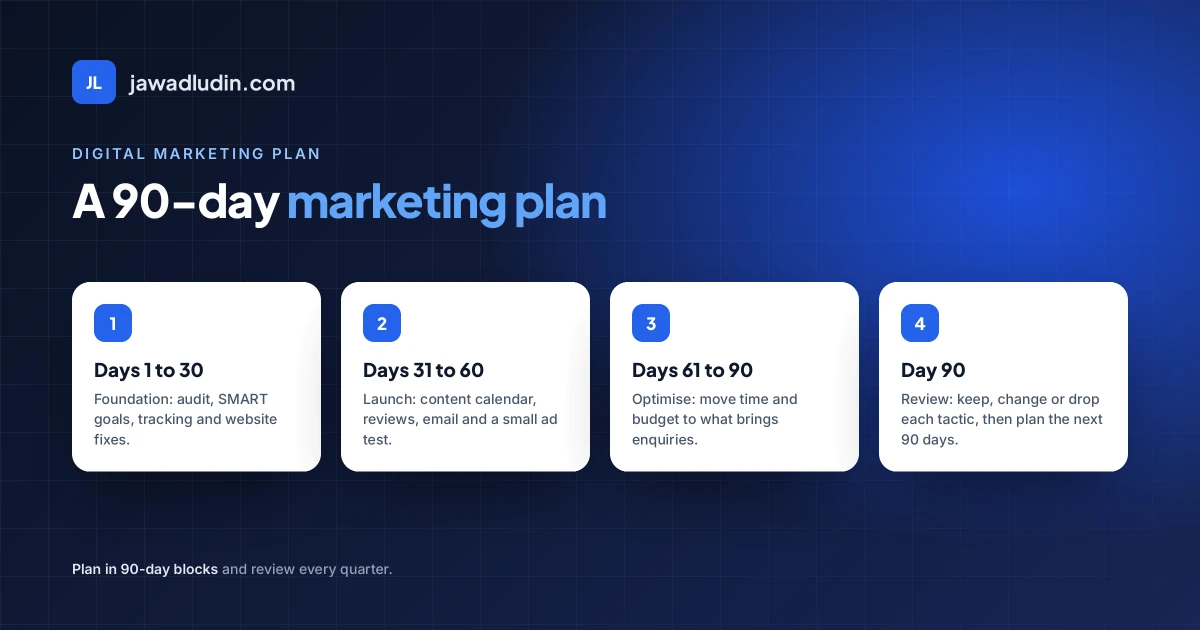
| Quarterly (half a day) | Progress against each SMART goal | Keep, change or drop each tactic; write the next 90-day plan |
| Yearly | The whole plan and the strategy behind it | Reset goals and budget |
The SBA recommends maintaining a marketing plan “on an annual basis, at minimum”. In practice, a 90-day review keeps a small business plan alive.
Want a second opinion on your plan? Send me your goals and current numbers, and I will tell you what I would change.
From 90 days to 12 months: a simple roadmap
Detailed plans work best in 90-day blocks, but it helps to know where the year is going. Give each quarter one main theme and let the quarterly review decide the details:
| Quarter | Theme | Typical focus |
|---|---|---|
| Q1 | Foundation | Website fixes, Google Business Profile, tracking, review requests, email sign-up form |
| Q2 | Visibility | Service pages and helpful articles, a steady social media rhythm, first newsletter series |
| Q3 | Acceleration | Small paid ad tests on the best-converting offers, partnerships, more reviews |
| Q4 | Retention | Email offers for past customers, referral requests, a full-year review and next year’s goals |
Seasonal businesses should shift the themes so that the acceleration quarter lands just before their busiest months. The goal is to have the foundation in place before you spend money sending people to it.
A simple weekly digital marketing plan
A 90-day plan only works if it turns into a weekly routine. Here is a digital marketing weekly plan that fits into about six hours, which is realistic for an owner or a part-time marketer:
| Day | Task | Time |
|---|---|---|
| Monday | Check last week’s enquiries, traffic and leads by source, then pick this week’s priorities | 30 minutes |
| Tuesday | Create one main piece of content: an article, a short video or a customer story | 2 to 3 hours |
| Wednesday | Turn that piece into two or three social posts and schedule them | 1 hour |
| Thursday | Post on Google Business Profile, reply to reviews and messages, ask recent customers for reviews | 45 minutes |
| Friday | Send your email or offer, adjust any ad budget, and note one thing to change next week | 1 hour |
Keep the same days every week. Consistency matters more than volume, and a fixed routine is what moves the numbers in your quarterly review.
Digital marketing plan template
Copy this template into a document or spreadsheet and fill in each line. If a section takes more than a page, it is probably too detailed for a small business plan.
| Section | Fill in |
|---|---|
| Plan period | Start date to end date (for example, a 90-day quarter) |
| Situation summary | 3 things that work, 3 that do not, the biggest gap |
| Target customer | Who, their problem, where they look, what makes them hesitate |
| Competitive advantage | “We help [customer] get [result] without [frustration] because [proof]” |
| Goals | 2 to 4 SMART goals with a number and a date |
| Channels | 2 or 3 channels, with the reason each one fits |
| Tactics | Specific actions per channel that can go on a calendar |
| Content calendar | Link to your monthly grid |
| Budget | Each cost line and the total per month |
| Owners and dates | Who does each task and the deadline |
| KPIs | 1 or 2 per goal, with the current number and the target |
| Review dates | Weekly, monthly and quarterly check-ins |
Digital marketing plan example: a sample plan for a small business
To show how the template looks when it is filled in, here is a 90-day plan for a fictional two-person home cleaning company. The numbers are examples, not benchmarks.
| Section | Example |
|---|---|
| Plan period | 1 January to 31 March |
| Situation | Most jobs come from referrals. The website gets about 300 visits a month and 4 enquiries. The Google Business Profile has 9 reviews. No email list. |
| Target customer | Working couples and families within 12 km who want a reliable weekly or fortnightly clean and book online or by WhatsApp |
| Advantage | Same cleaner every visit, fixed prices online, and a satisfaction re-clean within 24 hours |
| Goals | 1) 12 online enquiries a month by March. 2) 30 Google reviews by March. 3) 150 email subscribers by March. |
| Channels | Google Business Profile and reviews, website and local SEO, Instagram, email |
| Tactics | Weekly profile posts; review request by message after every clean; new pages for “end of tenancy cleaning” and “deep cleaning”; 3 Instagram posts a week; welcome email and a monthly tips email |
| Budget | Canva Pro about $12, MailerLite free plan, Google Ads test of a fixed amount in February only |
| Owners | Owner: website pages, ads and email. Second cleaner: photos, Instagram and review requests. |
| KPIs | Enquiries by source, cost per enquiry, review count, subscribers |
| Reviews | Fridays (15 minutes), last Monday of each month (1 hour), 31 March (half a day) |
Notice what the plan leaves out: no TikTok, no blog post every week, no big ad budget. A small team that finishes a focused plan beats one that starts an ambitious plan and abandons it in week three.
How to track your plan without expensive software
You do not need a marketing platform to follow a small business plan. A shared spreadsheet for tasks and an enquiry log are enough to start. Add free tools as you grow: Google Search Console for search performance, Google Analytics 4 for website traffic, and Google’s free Data Studio (formerly Looker Studio) to combine them into one monthly dashboard. Ask every new customer how they found you and write it down; it is the most reliable attribution a small business has.
Common digital marketing plan mistakes
- Writing a plan without a strategy, so every channel looks equally important.
- Setting goals with no number or no date.
- Planning more work than the team can finish in a normal week.
- Leaving out owners, so every task belongs to everyone and nobody.
- Forgetting the budget for your own time, which is usually the scarcest resource.
- Writing the plan once and never reviewing it.
Conclusion
A good digital marketing plan is short, specific and reviewed often. Audit where you are, set two to four SMART goals, choose a few channels, put every tactic on a calendar with an owner and a cost, and check your KPIs on a fixed rhythm. Plan in 90-day blocks, and let each review make the next quarter’s plan better.
Frequently Asked Questions
What should a digital marketing plan include?
A situation summary, target customer, competitive advantage, SMART goals, channels and tactics, a content calendar, a budget, a timeline with owners, and the KPIs you will review. Most small business plans fit on three to five pages.
What is the difference between a digital marketing plan and a strategy?
The strategy makes the big choices: who you target, why they should buy from you and which channels you use. The plan turns those choices into dated tasks, owners and a budget.
How long should a digital marketing plan cover?
Most small businesses work best with a 12-month direction and detailed 90-day plans. Review the plan every quarter and rewrite the next 90 days based on what worked.
How do I write a digital marketing plan for a small business?
Audit where you are, set SMART goals, describe your target customer, check competitors, choose two or three channels, build a content calendar, set a budget, and agree on KPIs and review dates.
How often should I update my marketing plan?
Check key numbers weekly and monthly, and rewrite the next 90 days every quarter. The SBA recommends maintaining a marketing plan at least once a year.