Most small businesses don’t have a tool problem. They have too many tools, paid for by the month, half set up and barely used. Meanwhile the free tools that matter most, such as Google Business Profile and Search Console, sit unclaimed.
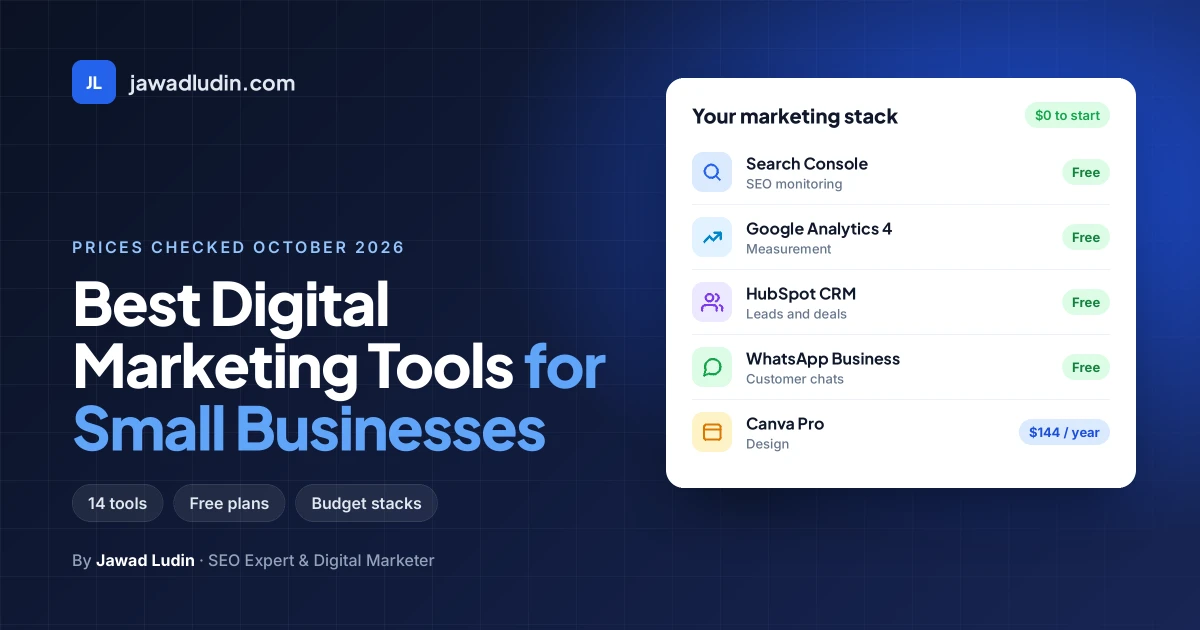
This guide picks the best digital marketing tools for small businesses by the job each one does, shows what the free plans really include, and gives you ready-made tool stacks for a $0 budget and for about $40 a month. Every price below was checked on the vendor’s official pricing page in October 2026.
What are the best digital marketing tools for small businesses in 2026?
- Google Business Profile: best for local visibility and Google Maps
- Google Search Console: best free tool for SEO monitoring
- Google Analytics 4: best for website traffic and marketing performance
- Canva: best for graphic design and marketing content
- Meta Business Suite: best free tool for Facebook and Instagram
- Buffer: best for scheduling social media posts
- WhatsApp Business: best for customer communication and inquiries
- MailerLite: best for email marketing beginners
- Brevo: best for email, SMS, and multichannel marketing
- HubSpot Free CRM: best for managing leads and customer relationships
- Ahrefs Free: best for website audits and backlink monitoring
- Semrush: best for SEO and competitor research
- Google Ads: best for reaching customers actively searching for products and services
- ChatGPT: best for marketing ideas, content drafts, and productivity
How I chose these tools
Lists like this are often written by a company that sells one of the tools, and that tool tends to land at number one. To keep this one useful, every tool had to pass five tests:
- It does one clear marketing job that a small business actually needs: getting found, posting, emailing, following up or measuring.
- It has a free plan or a low entry price, confirmed on the official pricing page.
- A non-technical owner can set it up without a developer.
- It works with the other tools on the list, so your data doesn’t get stuck.
- It is still worth using at your size. Enterprise platforms that need annual contracts were left out.
Prices change often, so treat the figures as a starting point and check the vendor’s page before you buy.
What counts as a digital marketing tool?
A digital marketing tool is any software that helps you attract, convert or keep customers online. For a small business, they fall into six groups:
- Visibility: local listings and SEO tools that help people find you on Google.
- Content and design: tools for graphics, video and copy.
- Social media: scheduling, publishing and replying to messages.
- Email and messaging: newsletters, automated follow-ups and chat.
- Leads and customers: a CRM that records every enquiry and deal.
- Measurement: analytics that show which channels bring sales.
You need one good tool in each group, not five. The list below is organised so you can pick that one.
The 14 best digital marketing tools for small businesses
1. Google Business Profile: Best for local visibility
Best for: Any business that serves customers in a specific area, such as shops, clinics, restaurants, salons and trades
Pricing: Free
Website: google.com/business
Google Business Profile controls how your business appears in Google Maps and in the local results that show up for searches like “bakery near me.” For many local businesses it brings more calls and visits than the website does, and it costs nothing. Surprisingly, it is missing from most lists of marketing tools.
Key features:
- Business name, hours, phone, website, services and photos shown on Search and Maps
- Customer reviews you can reply to
- Posts for offers, events and updates
- Performance data such as calls, direction requests and website clicks
Ideal for: Your first marketing task if customers come to you, or you go to them, within a city or region.
Limitations: Less useful for online-only businesses. Verification can take time, and your rankings depend on reviews, relevance and distance, which you can only partly control. A complete profile with accurate details, real photos and regular review replies is the foundation of local SEO.
2. Google Search Console: Best free SEO monitoring
Best for: Every business with a website
Pricing: Free
Website: search.google.com/search-console
Search Console is the only tool that shows data straight from Google about how your site performs in search: which queries show your pages, how often people click, and which pages have indexing problems. Paid SEO tools estimate this. Search Console reports it.
Key features:
- Search queries, impressions, clicks and average position
- Indexing reports that show which pages Google can and cannot index
- Sitemap submission and URL inspection
- Alerts for security issues and manual actions
Ideal for: Finding the searches you already almost rank for, then improving those pages.
Limitations: It only shows your own site, not competitors, and it doesn’t suggest new keywords to target.
3. Google Analytics 4: Best free website analytics
Best for: Measuring which channels bring visitors and enquiries
Pricing: Free
Website: marketingplatform.google.com/about/analytics
Google Analytics 4 tells you where visitors come from, what they do on your site and which actions they complete. Without it, you can’t tell whether that Instagram post or Google Ads campaign actually produced anything.
Key features:
- Traffic by channel: search, social, email, paid and referral
- Key events for form submissions, phone clicks and WhatsApp clicks
- Links with Google Ads and Search Console
- Campaign tracking with UTM links
Ideal for: Proving which marketing works, as long as you set up key events for the actions that matter to you.
Limitations: The interface takes time to learn, and the default setup doesn’t track enquiries. Budget an hour to configure key events properly.
4. Canva: Best for design without a designer
Best for: Social posts, flyers, ads, presentations and short videos
Pricing: Free plan; Pro from US$144 a year for one person (see pricing)
Website: canva.com
Canva lets anyone produce professional-looking graphics from templates. The free plan is generous enough for most small businesses to start with, and Pro adds the features you’ll miss first: premium templates, background removal, resizing and a brand kit.
Key features:
- Templates for every social platform, print and presentations
- Brand kit with your logo, colours and fonts (one on the free plan)
- AI tools for resizing, translating and removing backgrounds (Pro)
- Simple video editing and a content planner
Ideal for: Owners and small teams who post regularly and want a consistent look.
Limitations: Templates are widely used, so customise them or your posts will look like everyone else’s. Eligible nonprofits can apply for Canva Pro features for free.
5. Meta Business Suite: Best free tool for Facebook and Instagram
Best for: Businesses whose customers are mainly on Facebook and Instagram
Pricing: Free (ads are paid separately)
Website: facebook.com/business/tools/meta-business-suite
If Facebook and Instagram are your only social channels, you may not need a paid scheduler at all. Meta Business Suite lets you plan and schedule posts for both, answer messages and comments from one inbox, and see basic results.
Key features:
- Post and story scheduling for Facebook and Instagram
- One inbox for Messenger, Instagram messages and comments
- Insights on reach and engagement
- Direct access to ad creation
Ideal for: Retailers, restaurants and service businesses that sell through Meta’s platforms.
Limitations: It only covers Meta’s own platforms, so you’ll need another tool for LinkedIn, TikTok or YouTube. If you plan to run Facebook ads, build them on a clear social media marketing strategy and start with a small test budget.
6. Buffer: Best simple scheduler for several platforms
Best for: Small teams posting on three or more networks
Pricing: Free for up to 3 channels; paid plans from $5 per channel a month on annual billing (see pricing)
Website: buffer.com
Buffer is the easiest way to plan posts across platforms such as Instagram, Facebook, LinkedIn, TikTok and Pinterest from one calendar. Its per-channel pricing suits small businesses far better than tools priced per user at enterprise rates.
Key features:
- One calendar for all connected channels
- Ideas board for saving content ideas
- Post analytics, with more reporting on paid plans
- Link-in-bio page builder
Ideal for: Businesses active on more than just Facebook and Instagram.
Limitations: The free plan is basic, and costs add up per channel. If you only use Meta’s platforms, Meta Business Suite does the same job for free. The best social media marketing tools differ mainly in analytics, inbox features and how they price extra users.
7. WhatsApp Business: Best for customer conversations
Best for: Businesses whose customers prefer to message rather than fill in forms
Pricing: The WhatsApp Business app is free to download
Website: business.whatsapp.com
In many markets, a WhatsApp button turns more visitors into enquiries than a contact form. The business app adds a proper business profile, a product catalogue, labels for organising chats, and quick replies and greeting messages that save time on common questions.
Key features:
- Business profile with hours, address and website
- Catalogue of products or services
- Quick replies, greeting and away messages
- Labels to track leads and orders
Ideal for: Local shops, clinics, tutors and service providers that close sales in conversation.
Limitations: The app is built for a small team on a few devices. Larger teams that need many agents or automated messages at scale move to the WhatsApp Business Platform, which is priced differently.
8. MailerLite: Best email marketing for beginners
Best for: Newsletters and simple automations for a growing list
Pricing: Free for 250 subscribers and 2,500 emails a month; paid from $10.80 a month on annual billing (see pricing)
Website: mailerlite.com
Email marketing is still one of the few channels you own outright: no algorithm decides who sees your message. MailerLite keeps it simple, with a clean editor, sign-up forms, landing pages and basic automations such as a welcome sequence, all included on the free plan.
Key features:
- Drag-and-drop email editor
- Automations, landing pages and sign-up forms
- Audience segmentation
- Option to sell digital products or take bookings
Ideal for: Businesses starting a newsletter or welcome sequence for the first time.
Limitations: The free plan caps you at 250 subscribers, so a list that grows quickly will need a paid plan soon.
9. Brevo: Best for email plus SMS and WhatsApp
Best for: Businesses that want email, SMS and WhatsApp campaigns in one place
Pricing: Free plan with up to 300 emails a day; paid plans from about $9 a month (see pricing)
Website: brevo.com
Brevo started as an email platform and now covers several channels. Its free plan limits how many emails you send each day rather than offering a tiny contact allowance, which suits businesses with a larger list that only email occasionally.
Key features:
- Email campaigns with a drag-and-drop editor
- SMS and WhatsApp campaigns (paid per message)
- Forms, segmentation and marketing automation on higher plans
- Transactional email for order confirmations
Ideal for: Online shops and service businesses that message customers across channels.
Limitations: Free emails carry Brevo branding, and advanced automation sits on the higher plans.
10. HubSpot Free CRM: Best free CRM
Best for: Keeping every lead, customer and deal in one place
Pricing: Free CRM; paid Starter plans from $15 per seat a month (see pricing)
Website: hubspot.com
Leads arrive by phone, form, email, WhatsApp and social messages, and without a CRM they get lost in inboxes. HubSpot’s free CRM gives you contact records, a deal pipeline and a reporting dashboard at no cost, and it connects to most of the tools above.
Key features:
- Contact management and CRM import
- Deal pipelines to track every opportunity
- Reporting dashboard
- Built-in AI assistant
Ideal for: Service businesses with a sales process longer than one conversation.
Limitations: The free version shows HubSpot branding, and advanced marketing features are on paid plans whose cost rises with each seat and contact tier.
11. Ahrefs Free (formerly Ahrefs Webmaster Tools): Best free SEO audit
Best for: Finding technical SEO problems and checking your backlinks
Pricing: Free for websites you verify (see limits)
Website: ahrefs.com
Few small business owners know that Ahrefs offers a free version for sites you own. It crawls your website and flags problems such as broken links, missing titles and slow pages, and it shows which sites link to you. Ahrefs now calls this product Ahrefs Free.
Key features:
- Site audit with 5,000 crawl credits a month per project
- Backlink and keyword data for your own site
- Web analytics
- Unlimited verified websites
Ideal for: A quarterly health check of your website.
Limitations: Competitor research and broad keyword research require a paid Ahrefs plan.
12. Semrush: Best paid tool for SEO and competitor research
Best for: Businesses ready to invest seriously in SEO and content
Pricing: Paid plans, with an SEO plan aimed at freelancers and small businesses (see current pricing)
Website: semrush.com
Semrush shows what your competitors rank for, which keywords are worth targeting and how your positions change each day. It is the most complete tool on this list, and also the one you should buy last: it is valuable when someone will act on the data every week.
Key features:
- Keyword research with volume and difficulty
- Competitor rankings and traffic estimates
- Daily rank tracking (the small business SEO plan tracks 500 keywords across 5 websites)
- Site audits and AI search visibility features
Ideal for: Businesses publishing content regularly or competing in crowded search results.
Limitations: It is a significant monthly cost for a small business. If nobody will use it weekly, Search Console and Ahrefs Free cover the basics for nothing. Compare it with other SEO tools before you commit to a yearly plan.
13. Google Ads: Best for reaching people ready to buy
Best for: Services people search for when they need them now, such as repairs, clinics and legal help
Pricing: No account fee; you set a budget and pay for clicks
Website: ads.google.com
Search ads put you at the top of Google while your SEO is still building. Because people are searching for what you sell, this traffic is often closer to buying than social media audiences. The risk is spending money on searches that never convert, so start small and track every enquiry.
Key features:
- Search, Maps, YouTube and Display campaigns
- Location targeting down to a radius around your business
- Conversion tracking with Google Analytics 4
- Keyword Planner for search volume estimates
Ideal for: Businesses with a clear offer, a landing page that converts, and conversion tracking in place.
Limitations: Broad default settings can spend budget on loosely related searches. Review the search terms report every week and add irrelevant terms as negative keywords.
14. ChatGPT: Best AI assistant for marketing drafts
Best for: First drafts, ideas and repetitive writing tasks
Pricing: Free plan; paid plans add higher limits (see pricing)
Website: chatgpt.com
An AI assistant speeds up the parts of marketing that slow small teams down: social captions, email subject lines, product descriptions, ad variations and replies to common questions. Used well, it gives you a solid first draft in minutes that you then make specific to your business.
Key features:
- Drafts for posts, emails, ads and web copy
- Brainstorming campaign ideas and content calendars
- Summarising reviews and customer feedback
- Translating and adapting copy for other languages
Ideal for: Owners who write their own marketing and need to move faster.
Limitations: It can state wrong facts confidently and produces generic text if you give it generic instructions. Always check prices, claims and details, and add your own experience before publishing.
Other tools you might be comparing
- Mailchimp: the best-known email platform. Its free plan now includes up to 250 contacts and 500 sends a month (250 a day), and paid Essentials plans start at $13 a month, so compare it with MailerLite and Brevo before choosing.
- Hootsuite: a powerful social media suite, but plans start at $99 per user a month on annual billing, which is more than most small businesses need. Buffer or Meta Business Suite cover the basics for far less.
- Zapier: connects apps so data moves automatically, for example from a website form into your CRM. Useful once your tools are in place.
- Ahrefs (paid) and Moz: alternatives to Semrush for keyword and competitor research.
- CapCut: a popular editor for short videos on Reels, TikTok and Shorts.
- Trello: a simple board for planning content and campaigns.
Side-by-side comparison table
| Tool | Best for | Free plan | Paid from (Oct 2026) |
|---|---|---|---|
| Google Business Profile | Local visibility | Free | Not applicable |
| Google Search Console | SEO monitoring | Free | Not applicable |
| Google Analytics 4 | Website analytics | Free | Not applicable |
| Canva | Design | Yes | US$144 a year (Pro) |
| Meta Business Suite | Facebook and Instagram | Free | Ads paid separately |
| Buffer | Multi-platform scheduling | Up to 3 channels | $5 per channel a month (annual) |
| WhatsApp Business | Customer chats | Free app | Platform pricing for large teams |
| MailerLite | Email for beginners | 250 subscribers | $10.80 a month (annual) |
| Brevo | Email, SMS, WhatsApp | 300 emails a day | About $9 a month |
| HubSpot CRM | Leads and deals | Free CRM | $15 per seat a month |
| Ahrefs Free | Technical SEO audit | Free for verified sites | Paid Ahrefs plans |
| Semrush | SEO and competitor research | Check official site | See official pricing |
| Google Ads | Paid search | No account fee | Your ad budget |
| ChatGPT | AI drafting | Yes | See official pricing |
Ready-made tool stacks by budget
Most lists stop at naming tools. Here is how they fit together at three budget levels, so you can copy a stack instead of building one from scratch.
| Stack | Tools | Approximate monthly cost |
|---|---|---|
| Free starter | Google Business Profile, Search Console, Google Analytics 4, Canva Free, Meta Business Suite, WhatsApp Business, MailerLite or Brevo free plan, HubSpot Free CRM, Ahrefs Free | $0 |
| Growing | The free stack, plus Canva Pro (about $12 a month on the annual plan), Buffer for 3 channels ($15) and a paid MailerLite plan ($10.80) | About $38, plus any ad budget |
| Scaling | The growing stack, plus a Semrush SEO plan, HubSpot Starter seats and an automation tool such as Zapier | Depends on plans and seats; check current pricing |
The free starter stack is enough for many small businesses for a long time. Move up a level only when a free plan’s limit is actually stopping you, not because a paid plan looks more professional.
How to choose the right digital marketing tools
1. Start with the job, not the tool
Write down the one result you want this quarter, such as more calls from Google, more repeat customers or more enquiries from Instagram. Then pick the tool that serves that goal. A tool bought without a job usually ends up unused.
2. Set up the free foundations first
Google Business Profile, Search Console and Google Analytics 4 cost nothing and make every other tool more useful. Paying for an SEO tool before Search Console is connected is like buying a map before you know where you are.
3. Read the free plan limits carefully
“Free” means different things. Mailchimp’s free plan stops at 250 contacts and 500 sends a month, while Brevo limits sending to 300 emails a day. Check contacts, sends, channels, seats and branding before you build on a free plan.
4. Calculate the real monthly cost
Many tools charge per user, per channel or per contact, and the advertised price is often the annual rate shown per month. Multiply by your real numbers and add up the whole stack before you commit.
5. Check that you own and can export your data
Your customer list and content should belong to your business. Before you choose, confirm you can export contacts and data, and make sure accounts are registered to a business email you control rather than a freelancer’s personal account.
6. Give each tool 90 days, then measure
Record a baseline when you start, such as calls, enquiries, email sign-ups or sales, and compare after three months. Keep what moved the numbers and cancel what didn’t. Building that review into a 90 day digital marketing plan stops unused subscriptions from quietly piling up.
Common mistakes to avoid
- Paying for overlapping tools, such as a social scheduler and a CRM that both handle social posting.
- Skipping tracking. Without key events in Analytics, you can’t tell which tool or channel produces customers.
- Buying enterprise tools too early. A $99 a month social suite won’t help if you post twice a week.
- Letting AI publish unchecked. Generic, unverified content can damage trust faster than it saves time.
- Forgetting the basics, such as a fast mobile website and a visible phone number or WhatsApp button. No tool fixes a page that doesn’t convert.
Conclusion
The best digital marketing tools for small businesses are the ones you’ll actually use every week. For most businesses that means a free foundation of Google Business Profile, Search Console, Google Analytics 4, Canva, Meta Business Suite and WhatsApp Business, plus one email tool and a free CRM. Add paid tools such as Buffer, Semrush or Google Ads when a clear goal and a tracked result justify the cost.
If you would rather hand this over, a digital marketing specialist can choose the right tools, configure them properly and set up tracking that shows what works.
Frequently asked questions
What are the best free digital marketing tools for small businesses?
The strongest free tools are Google Business Profile, Google Search Console, Google Analytics 4, Canva’s free plan, Meta Business Suite, the WhatsApp Business app, HubSpot’s free CRM and Ahrefs Free. MailerLite and Brevo also have free email plans for small lists.
How much should a small business spend on marketing tools?
Many businesses can start at $0 with the free stack in this guide. A capable paid stack with Canva Pro, Buffer for three channels and a paid email plan costs about $38 a month at October 2026 prices, before any ad budget.
Which marketing tool should a small business set up first?
If you serve local customers, claim and complete your Google Business Profile first. If you have a website, connect Google Search Console and Google Analytics 4 straight away so you have data from day one.
Is Mailchimp still free for small businesses?
Mailchimp still has a free plan, but it now includes up to 250 contacts and 500 sends a month, with a maximum of 250 a day. MailerLite’s free plan allows 2,500 emails a month to 250 subscribers, and Brevo allows up to 300 emails a day.
Do I need Hootsuite, or is Buffer enough?
For most small businesses, Buffer is enough. It starts free for three channels, while Hootsuite starts at $99 per user a month on annual billing. If you only use Facebook and Instagram, Meta Business Suite is free.
Is there one all-in-one marketing tool for small businesses?
Platforms such as HubSpot cover several jobs, but no single tool does everything well at a small business price. A few focused tools that connect to each other usually cost less and work better.
Can AI tools replace a digital marketer?
AI tools speed up writing and research, but they don’t know your customers, your margins or your market. Use them for drafts and ideas, and keep strategy, checking and final decisions with a person.