Cheap digital marketing tools are not a compromise anymore. Free plans now cover search data, heatmaps, social scheduling, email, forms, a simple CRM and live chat, and the paid upgrades that matter often cost less than a lunch. The catch is that “cheap” on a pricing page and cheap on your bank statement are rarely the same number.
This list covers 15 low-cost marketing tools that are free to start and have a paid plan under $25 a month if you need one. For each tool you get the real free plan limits, the cheapest paid plan, and the point at which the price starts to climb. Every price was checked on the vendor’s official pricing page in October 2026. For a broader look at what a small business needs, regardless of price, see the best digital marketing tools for small businesses.
What are the best cheap digital marketing tools in 2026?
- Google Search Console: free search data straight from Google
- Ahrefs Free: free site audits and backlink checks
- Keywords Everywhere: cheapest keyword research, from $7 a month
- Microsoft Clarity: free heatmaps and session recordings
- Data Studio: free marketing dashboards (formerly Looker Studio)
- Buffer: social scheduling from $5 per channel a month
- Metricool: free social planning and analytics for one brand
- Meta Business Suite: free Facebook and Instagram scheduling
- Canva: free design, with Pro at $144 a year
- Sender: the biggest free email plan, 2,500 subscribers
- MailerLite: easy email marketing from $12 a month
- Brevo: email priced by sends, not contacts
- Tally: free forms with unlimited submissions
- Bigin by Zoho CRM: a simple CRM from $7 per user a month
- tawk.to: free live chat for your website
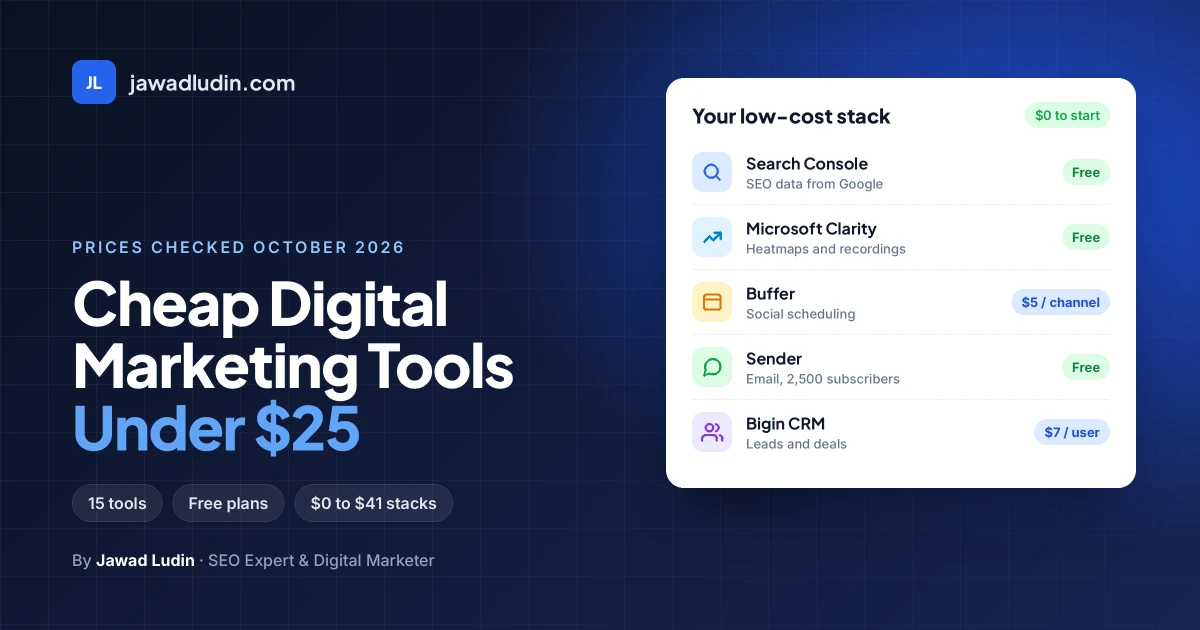
With these tools a small business can run search, social, email, lead capture and reporting for $0, and a fuller setup costs about $41 a month. The stacks are further down.
How I chose these tools
I have used these tools, or set them up for businesses, in my own SEO and digital marketing work. A tool made this list only if it has a free plan you can actually run a business on, or a paid plan under $25 a month, and if it does one marketing job well without a developer. I left out tools whose low price only applies to the first month, and tools whose free plan is a trial in disguise.
What “cheap” really means for a marketing tool
The starting price is the least useful number on a pricing page. Before you call a tool cheap, check how its price grows with your business:
- Per channel or per user pricing. Buffer charges per social channel and Bigin charges per user, so the bill grows every time you add an account or a teammate.
- Prices quoted on annual billing. Many “from” prices assume you pay a year upfront. Bigin’s Express plan is $7 per user a month billed yearly, but $9 on monthly billing.
- List size. Email tools charge by contacts or by emails sent. A plan that costs $12 for a small list can cost several times that once your list grows.
- Branding removal. Free plans on Sender, Tally and tawk.to show the vendor’s branding. Removing it is usually the first paid upgrade, and on tawk.to it costs $29 a month.
- Add-ons and credits. AI features, extra brands, extra pipelines and keyword credits are often sold separately from the base plan.
A truly low-cost marketing tool keeps a sensible price at the size you expect to be in a year, not just on day one.
The 15 best cheap digital marketing tools
1. Google Search Console: Best free SEO data
Best for: Every business with a website
Pricing: Free
Website: search.google.com/search-console
Search Console is the only tool that reports how your site performs in Google search using Google’s own data. Paid SEO tools estimate clicks and rankings; Search Console shows them. If you set up nothing else on this list, set up this one.
Key features:
- Search queries, impressions, clicks and average position
- Indexing reports and URL inspection
- Sitemap submission
- Core Web Vitals report for page experience
Ideal for: Finding queries where you already rank on page two and improving those pages first.
Limitations: It only shows your own site and does not suggest new keywords or show competitors.
2. Ahrefs Free: Best free site audit
Best for: Site owners who want to find technical SEO problems without paying for a full suite
Pricing: Free for verified websites; paid Ahrefs plans start at $29 a month
Website: ahrefs.com/webmaster-tools
Ahrefs Free (formerly Ahrefs Webmaster Tools) gives you a slice of a premium SEO suite at no cost, as long as you verify that you own the site. You can use it on an unlimited number of verified websites, which makes it useful for freelancers who manage several small sites.
Key features:
- Site Audit with 5,000 crawl credits per project each month
- Site Explorer for your own organic traffic and backlinks
- Up to 1,000 backlinks and keywords visible at once
- Web analytics for up to 1 million events per project
Ideal for: Running a monthly health check for broken links, missing titles, slow pages and redirect problems.
Limitations: It only works on sites you can verify, so competitor research needs a paid plan or another tool. If the audit shows more fixes than you have time for, an experienced SEO consultant can prioritise and fix them.
3. Keywords Everywhere: Best cheap keyword research
Best for: Bloggers and small businesses that want search volumes without a $100+ SEO subscription
Pricing: Bronze plan $7 a month, billed $84 a year, with 100,000 credits a year
Website: keywordseverywhere.com
Keywords Everywhere is a browser extension that adds search volume, cost per click and competition data to the pages you already use, including Google results. You pay for credits rather than a monthly seat, which keeps the cost low if you only research keywords now and then.
Key features:
- Search volume, CPC and competition on Google and 15+ other sites
- Related keyword ideas with the same metrics
- Traffic and backlink data for websites you visit
- Bronze, Silver ($14 a month) and higher plans billed yearly
Ideal for: Checking demand for a topic before you write a page or a blog post.
Limitations: Credits expire after one year, and like every keyword tool the volumes are estimates. For deeper competitor and backlink research, compare the best SEO tools before paying for a full suite.
4. Microsoft Clarity: Best free heatmaps and recordings
Best for: Any website that wants to see how visitors actually behave
Pricing: Free forever, with no traffic limits
Website: clarity.microsoft.com
Clarity shows where people click, how far they scroll and where they get stuck, with session recordings you can replay. Similar tools charge by traffic. Clarity is free for any amount of traffic, which makes it one of the best-value tools on this list.
Key features:
- Click and scroll heatmaps
- Session recordings
- Google Analytics integration
- Copilot, an AI assistant that summarises what visitors do
Ideal for: Finding why a landing page or contact form is not converting.
Limitations: It shows behaviour, not where visitors came from, so use it alongside Google Analytics 4. You also need to mention it in your privacy and cookie notice.
5. Data Studio: Best free marketing dashboards
Best for: Owners and freelancers who want all key numbers on one page
Pricing: Free; Data Studio Pro is the paid edition for teams
Website: datastudio.google.com
Data Studio is Google’s free reporting tool, called Looker Studio until Google brought back the old name in April 2026. Existing reports keep working. It turns data from Google Analytics 4, Search Console, Google Ads and Google Sheets into shareable dashboards. Build one report, share the link, and stop pasting screenshots into monthly emails.
Key features:
- Free connectors for Google products
- Drag-and-drop charts, tables and filters
- Shareable links and scheduled email delivery
- Report templates to start from
Ideal for: A single monthly report that combines website, search and ad results.
Limitations: Connectors for non-Google platforms such as Facebook or LinkedIn are usually paid third-party add-ons, and large reports can load slowly.
6. Buffer: Best cheap social media scheduler
Best for: Small businesses that post on a few social channels
Pricing: Free for up to 3 channels; Essentials $5 per channel a month, billed yearly
Website: buffer.com
Buffer has stayed simple while other schedulers added complexity. The free plan connects three channels with 10 scheduled posts each, and Essentials removes that limit for $5 per channel a month on yearly billing.
Key features:
- Queue and visual content calendar
- AI assistant included on the free plan
- Link shortening and a simple Start Page
- First comment scheduling on paid plans
Ideal for: A solo owner or small team that wants to batch a week of posts in one sitting.
Limitations: Per channel pricing adds up: three channels on Essentials cost $15 a month. The free plan caps you at 10 scheduled posts per channel at a time.
7. Metricool: Best free social analytics
Best for: Small businesses and freelancers who want scheduling and reporting together
Pricing: Free for 1 brand; Starter from $20 a month billed yearly ($25 monthly) for up to 5 brands
Website: metricool.com
Metricool combines planning, publishing and analytics, and its reports are stronger than most tools at this price. Starter covers up to five brands, which makes it good value for freelancers who manage several small clients.
Key features:
- Planning and auto-publishing across networks
- Analytics for your profiles and up to 5 competitors on the free plan
- AI social media assistant
- Google Drive and Canva integration on Starter
Ideal for: Owners who want to see which posts bring clicks, not just likes.
Limitations: The free plan excludes LinkedIn and X, caps you at 20 scheduled posts a month and keeps 30 days of analytics. Teams that need listening or approval workflows should compare other social media marketing tools.
8. Meta Business Suite: Best free Facebook and Instagram tool
Best for: Businesses whose customers are mainly on Facebook and Instagram
Pricing: Free; ads are paid separately
Website: facebook.com/business
Meta Business Suite manages your Facebook Page and Instagram account in one place. For many small businesses it replaces a paid scheduler completely.
Key features:
- Post and story scheduling for Facebook and Instagram
- One inbox for Messenger, Instagram and comments
- Insights on reach and engagement
- Access to Ads Manager for boosted posts
Ideal for: Local businesses that sell mainly through Facebook and Instagram.
Limitations: It only covers Meta platforms, so LinkedIn, TikTok or X still need another tool.
9. Canva: Best cheap design tool
Best for: Anyone who needs social posts, flyers and simple videos without a designer
Pricing: Free plan; Canva Pro is US$144 a year for one person
Website: canva.com
The free plan is enough for many businesses: thousands of templates, basic video editing and easy sharing. Pro adds a brand kit, background removal and one-click resizing, which save real time once you post every week.
Key features:
- Templates for social posts, ads, presentations and print
- Simple video editor
- Brand kit with your logo, colours and fonts (Pro)
- Background remover and resize tools (Pro)
Ideal for: Creating consistent visuals quickly, especially if no one on the team is a designer.
Limitations: Pro is licensed per person, so a team pays more. Eligible nonprofits can apply for Canva for Nonprofits before paying for Pro.
10. Sender: Best free email marketing plan
Best for: New lists and businesses that want to send newsletters at no cost
Pricing: Free Forever plan for up to 2,500 subscribers and 15,000 emails a month; paid plans priced by list size
Website: sender.net
Sender has one of the most generous free email plans available: 2,500 subscribers and 15,000 emails a month, with no time limit. New accounts also get a 14-day trial of the Professional plan, after which you stay on the free plan. For other free plans and their real limits, see the best free email marketing tools.
Key features:
- Drag-and-drop newsletter editor
- Subscription forms and popups
- Automated emails
- Free 14-day Professional trial for new accounts
Ideal for: Starting an email list without adding another monthly bill.
Limitations: Free plan emails, forms and popups carry Sender branding, and free and Standard accounts send from a shared IP. If you need advanced ecommerce automation, compare the other best email marketing tools first.
11. MailerLite: Best easy email marketing tool
Best for: Beginners who want a clean editor, landing pages and simple automation
Pricing: Free for 250 subscribers and 2,500 emails a month; Comfort from $12 a month (10% off yearly)
Website: mailerlite.com
MailerLite is one of the easiest email tools to learn. Its free plan is now small, but Comfort is still affordable and includes the features most small businesses use.
Key features:
- Drag-and-drop, HTML and simple editors
- Landing pages and signup forms
- Comfort plan with 50 automations, 10 forms, 10 sites and 3 user seats
- Option to sell digital products
Ideal for: A small business that wants professional newsletters without a steep learning curve.
Limitations: The free plan only covers 250 subscribers, and new accounts go through manual approval before sending.
12. Brevo: Best email tool for large, low-frequency lists
Best for: Businesses with a big contact list that they email now and then
Pricing: Free plan with up to 300 emails a day; Starter from about $9 a month for 5,000 emails
Website: brevo.com
Brevo prices by the number of emails you send, not by contacts stored. If you have thousands of contacts but only email them a few times a month, it is often the cheapest option on this list.
Key features:
- Email campaigns with a drag-and-drop editor
- Marketing automation
- SMS and WhatsApp campaigns on paid plans
- Built-in sales CRM
Ideal for: Seasonal businesses and service companies with a large list and a light sending schedule.
Limitations: Free plan emails carry the Brevo logo, and the daily 300 email cap makes large free sends slow.
13. Tally: Best free form builder
Best for: Lead forms, quote requests, surveys and event sign-ups
Pricing: Free with unlimited forms and submissions (fair use); Pro $24 a month
Website: tally.so
Most form builders limit free plans to a handful of responses. Tally gives you unlimited forms and submissions for free, including features that others keep for paid plans.
Key features:
- Conditional logic and calculations
- File uploads, signatures and payment collection
- Custom thank-you page and redirects
- Email notifications for new submissions
Ideal for: Replacing a paid form tool for quote requests, bookings and lead magnets.
Limitations: Free forms show Tally branding, and file uploads are limited to 10 MB per file until you upgrade.
14. Bigin by Zoho CRM: Best cheap CRM
Best for: Small teams that lose leads between WhatsApp, email and phone calls
Pricing: Free for one user; Express $7 per user a month billed yearly ($9 monthly)
Website: bigin.com
Bigin is Zoho’s CRM built for small businesses. It turns your sales process into a simple pipeline, so every enquiry has a stage, a next step and an owner.
Key features:
- Visual pipelines for deals and enquiries
- Contacts, companies, products and activities
- Email and WhatsApp integration on paid plans
- Mobile apps for updates on the go
Ideal for: A business that tracks leads in a spreadsheet or in someone’s head.
Limitations: The free plan covers one user and one pipeline. Express adds team pipelines, and prices are per user.
15. tawk.to: Best free live chat
Best for: Websites that want to answer questions while visitors are still on the page
Pricing: Free for life; $29 a month to remove the “Powered by tawk.to” branding
Website: tawk.to
tawk.to is completely free live chat software. You can install the chat widget on your site and answer from your browser or phone, and pay only for optional extras.
Key features:
- Free live chat widget for your website
- Apps for iOS, Android, macOS and Windows
- Optional AI bot from $29 a month
- Hired chat agents from $1 an hour
Ideal for: Service businesses that win work by answering quick questions fast.
Limitations: The free widget shows tawk.to branding, and the AI bot and hired agents are paid extras.
Cheap alternatives to expensive marketing tools
If you are paying for a premium tool and only using part of it, one of these low-cost marketing tools may do the same job. The trade-off column is the honest part: what you lose by switching.
| If you are paying for | Cheaper option | What you give up |
|---|---|---|
| Semrush or a paid Ahrefs plan | Search Console, Ahrefs Free and Keywords Everywhere | Competitor research, rank tracking and bigger keyword databases |
| Hootsuite or Sprout Social | Buffer or Metricool | Social listening and advanced team approval workflows |
| Paid Mailchimp plans | Sender, MailerLite or Brevo | Some integrations and Mailchimp’s template library |
| HubSpot paid plans | Bigin by Zoho CRM | HubSpot’s marketing automation and reporting suite |
| A paid heatmap tool | Microsoft Clarity | On-site surveys and feedback widgets |
| A paid form builder | Tally | Very little for most small businesses; check the integrations you need |
| A paid live chat platform | tawk.to | Built-in AI and automation unless you pay for add-ons |
Side-by-side comparison table
| Tool | Job | Free plan | Cheapest paid plan (Oct 2026) |
|---|---|---|---|
| Google Search Console | SEO data | Free | Not applicable |
| Ahrefs Free | Site audit | Free for verified sites | $29 a month (Ahrefs Starter) |
| Keywords Everywhere | Keyword research | No | $7 a month, billed yearly |
| Microsoft Clarity | Heatmaps | Free, no traffic limit | Not applicable |
| Data Studio | Dashboards | Free | Data Studio Pro for teams |
| Buffer | Social scheduling | 3 channels | $5 per channel a month, billed yearly |
| Metricool | Social planning and analytics | 1 brand | $20 a month, billed yearly |
| Meta Business Suite | Facebook and Instagram | Free | Ads paid separately |
| Canva | Design | Yes | $144 a year (Pro) |
| Sender | 2,500 subscribers | Priced by list size | |
| MailerLite | 250 subscribers | $12 a month | |
| Brevo | Email, SMS, WhatsApp | 300 emails a day | About $9 a month |
| Tally | Forms | Unlimited forms and submissions | $24 a month |
| Bigin by Zoho CRM | CRM | 1 user | $7 per user a month, billed yearly |
| tawk.to | Live chat | Free for life | $29 a month to remove branding |
Cheap marketing tool stacks for $0, $22 and $41 a month
Put the stack you choose into a simple digital marketing plan so every tool has a job and a budget line. Here is how these tools fit together at three budgets. Prices assume yearly billing where that is how the vendor quotes them.
| Stack | Tools | Monthly cost |
|---|---|---|
| Free | Search Console, Ahrefs Free, Microsoft Clarity, Data Studio, Meta Business Suite, Buffer Free, Canva Free, Sender Free, Tally, Bigin Free and tawk.to | $0 |
| Lean | The free stack, plus Buffer Essentials for 3 channels ($15) and Keywords Everywhere Bronze ($7) | About $22 |
| Growing | The lean stack, plus Canva Pro (about $12) and Bigin Express for one user ($7) | About $41 |
The free stack is enough to run search, social, email and lead capture properly. Start collecting email addresses from day one, because email marketing builds an audience you own instead of renting one from a platform.
Free AI tools that cut costs further
ChatGPT, Gemini and Claude all have free plans with usage limits, which are enough for first drafts of posts, emails and product descriptions. Several tools above also include AI on their free plans: Buffer’s AI assistant and Metricool’s AI social media assistant are both available at no cost.
Use AI to draft and rework content, then edit it for accuracy and your own voice. A paid AI subscription is only worth it once you are hitting the free limits every week.
How to keep marketing tool costs low
- Start on the free plan with a real task. Schedule a real week of posts or send a real campaign before you pay.
- Pay yearly only after a month of use. Annual billing saves money: two months free on Buffer, up to 24% on Metricool, up to 35% on Bigin and 10% on MailerLite. It only pays off if you keep using the tool.
- Price your growth. Check the cost at double your current list, channels and team size, not just today’s.
- Use one tool per job. Two schedulers or three email tools usually means paying twice for the same result.
- Review subscriptions every quarter. Cancel anything nobody has opened in the last month.
- Ask about discounts. Nonprofit programs, such as Canva for Nonprofits, can make a paid plan free.
Common mistakes when buying cheap marketing tools
- Choosing a tool for its starting price without checking the price at your real size.
- Building important automations on a free plan that can shrink without notice.
- Paying for a premium suite when a free tool covers the one feature you use.
- Skipping Search Console and Clarity, the two free tools that show what is actually happening on your site.
- Buying lifetime deals from unknown vendors without checking how often the product is updated.
- Forgetting to export your data before you cancel or switch tools.
Conclusion
Cheap digital marketing tools can cover almost everything a small business needs. Start with the free stack, measure what brings enquiries, and pay only when a free plan’s limit is really holding you back. For most businesses that means spending somewhere between $0 and $41 a month.
If you would rather spend your time on the business than on setting up tools, explore digital marketing services from Jawad Ludin or request a free consultation.
Frequently Asked Questions
What are the best cheap digital marketing tools?
Google Search Console, Ahrefs Free, Microsoft Clarity, Buffer, Canva, Sender and Tally are the strongest free or low-cost picks. Together they cover SEO, analytics, social media, design, email and lead capture.
Can I do digital marketing for free?
Yes. Search Console, Clarity, Data Studio, Meta Business Suite, Canva Free, Sender Free, Tally and Bigin Free let you run search, social, email and lead tracking at no cost. You will still need time, and a budget if you want to run ads.
What is the cheapest email marketing tool?
Sender has the largest free plan, with 2,500 subscribers and 15,000 emails a month. Brevo is often cheapest for large lists that you email rarely, because it charges by emails sent rather than contacts.
How much should a small business spend on marketing tools?
Many small businesses can start at $0. A practical paid setup with a scheduler, keyword research, Canva Pro and a CRM costs about $41 a month at October 2026 prices, before any ad budget.
Are free marketing tools good enough for a small business?
For most small businesses, yes. Free plans cover the core work. Upgrade when a limit such as channels, subscribers or users is stopping you, not because a paid plan looks more professional.