Search “best email marketing tools” and you will find lists of 10, 20 or even 30 platforms, nearly all ending in a free-trial button. Pick wrong and you pay for a plan whose price keeps climbing with every new subscriber, or you build your automations on a free plan that shrinks a few months later.
That second risk is real in 2026. MailerLite cut its free plan to 250 subscribers in June, Mailchimp’s free tier is now 250 contacts and 500 sends a month, Kit removed automations from its free plan in September, and beehiiv renamed and repriced its plans on October 1. The right tool depends on three things: what you plan to send, how big your list will be in a year, and how much setup you are willing to do.
Quick answer: The best email marketing tools in 2026 are Brevo for overall value, MailerLite for beginners, ActiveCampaign for advanced automation, Klaviyo for online stores and Kit for creators. Prices and plan limits below were last checked in October 2026, and several of them changed this year.
This guide compares 12 of the best email marketing tools on exactly those terms. Each entry shows who it is best for, what it costs, where it falls short and what to pair it with. If you are new to the channel, read what is email marketing first, because it explains the consent rules and inbox requirements that every tool below depends on.
The 12 Best Email Marketing Tools in 2026: Quick List
- Brevo: best value all-in-one platform
- MailerLite: best for beginners
- Mailchimp: best familiar all-rounder
- ActiveCampaign: best for advanced automation and CRM
- Klaviyo: best for ecommerce at scale
- Omnisend: best for budget-friendly ecommerce email and SMS
- Kit: best for creators
- beehiiv: best for newsletter publishers
- Constant Contact: best for local businesses and live support
- HubSpot: best for CRM-led B2B teams
- GetResponse: best for webinars and funnels
- Sender: best free plan for small senders
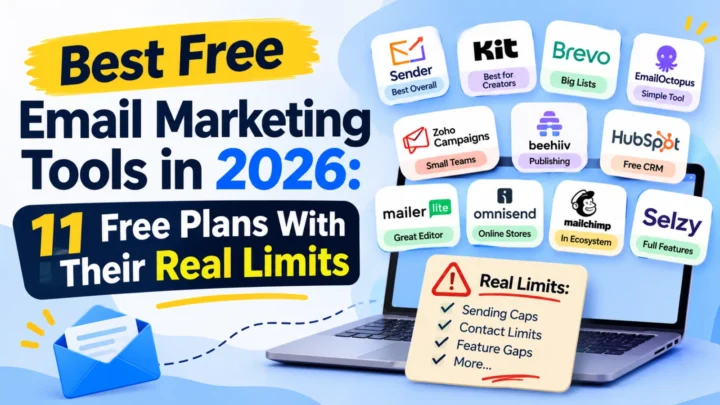
Also covered below: free plans compared side by side, how pricing models differ, what to check for deliverability, and how to switch tools without losing inbox placement. If you only want a $0 option, see the full comparison of the best free email marketing tools.
How I Ranked These Email Marketing Tools
I have used email platforms to build lists, send newsletters and set up automated sequences, so I ranked these on what decides whether a tool still works for you after the first month: how well it does its core job, what it costs once your list grows, how quickly a beginner can send a good email, how far its automation goes, and how much it helps with deliverability. Free plans have tightened across the industry in 2026, so each entry notes the real limits.
What Are Email Marketing Tools (and Which Type Do You Need)?
An email marketing tool, also called an email service provider (ESP), stores your subscribers, sends your emails in bulk and reports what happens next. Most fall into six types:
- Newsletter and creator platforms (Kit, beehiiv) focus on audience growth and selling to subscribers.
- General-purpose platforms (MailerLite, Mailchimp, Constant Contact) cover newsletters, simple automation and landing pages for small businesses.
- Automation and CRM platforms (ActiveCampaign, HubSpot) trigger emails from behavior and tie them to sales pipelines.
- Ecommerce platforms (Klaviyo, Omnisend) sync your store and run cart, browse and post-purchase flows.
- Marketing suites (GetResponse, Brevo) bundle email with webinars, SMS, chat or funnels.
- Transactional and API services (Postmark, Resend, SendGrid) deliver receipts and password resets from your app.
How Email Marketing Tools Charge (and Why the Starting Price Misleads)
Three pricing models sit behind the “from $13 a month” headlines, and they behave very differently as you grow:
- Per contact or subscriber: Mailchimp, ActiveCampaign, Kit, MailerLite and Constant Contact. Cost rises in steps as your list grows.
- Per email sent: Brevo. Cost depends on monthly send volume, so a big list you email rarely can be cheap.
- Per active profile: Klaviyo. Every contactable profile counts, including people you never email.
To compare fairly, multiply your list size by your sending frequency. A list of 10,000 contacts receiving four campaigns a month needs 40,000 sends before you add any automated emails. Then check the small print: some tools count unsubscribed contacts toward your limit unless you archive them, many cap monthly sends at a multiple of your contact count, and extras such as SMS credits, extra seats and branding removal are billed separately.
Also separate a free plan from a free trial. A free plan stays free within its limits. A trial ends, and with some tools your automations stop when it does.
Do You Need a Paid Email Marketing Tool?
Not always. A new list of a few hundred people can run on a free plan for months. Free plans tend to allow newsletters, signup forms and basic reporting, which is enough to learn what your audience responds to.
Paid plans earn their price when you need what free plans withhold: automation, branding removal, higher sending volume, A/B testing, dependable support and a custom sending domain. If you would rather hand the setup and strategy to a specialist, see digital marketing services from Jawad Ludin.
The 12 Best Email Marketing Tools in 2026
1. Brevo: Best Value All-in-One Platform
Best for: Small businesses and growing teams that want email, SMS and a basic CRM on a modest budget
Pricing: Free plan (300 emails a day), Starter from $9/month, Standard from $18/month, Professional from $499/month. Prices rise with monthly send volume.
Website: brevo.com
Brevo charges by how many emails you send rather than how many contacts you store, which makes it unusually cheap for large lists you email only now and then. The free plan stores up to 100,000 contacts, and paid plans add SMS, WhatsApp, a sales CRM and live chat under the same login. Standard is the practical starting point for most marketers because it adds fuller automation, A/B testing and landing pages.
Key features:
- Send-based pricing instead of contact-based pricing
- Email, SMS, WhatsApp and live chat in one account
- Transactional email included, even on the free plan
- Visual automation builder and A/B testing on Standard
Limitations: The free plan caps sending at 300 emails a day and adds Brevo branding, automation is restricted on lower plans, reporting is less deep than ActiveCampaign or Klaviyo, and CRM and chat seats cost extra per user. The jump to Professional is steep.
2. MailerLite: Best for Beginners
Best for: Bloggers, freelancers and small businesses that want a clean editor and simple automation
Pricing: Free for up to 250 subscribers and 2,500 emails a month. Paid plans are Comfort (from about $12/month) and Power (from about $25/month), with 10% off for annual billing.
Website: mailerlite.com
MailerLite is still one of the gentlest ways to start. You get a drag-and-drop editor, signup forms, landing pages, a simple website builder and an automation builder you can learn in an afternoon. It bills by active subscribers, so unsubscribed and bounced contacts do not count toward your price. Note the 2026 changes: in June it renamed Growing Business to Comfort and Advanced to Power, shrank the free plan, and put usage limits on Comfort (for example 50 automations and 10 signup forms). Older reviews still quote the previous free plan of 1,000 subscribers and 12,000 emails, which no longer applies. If you are completely new to email, start with email marketing for beginners before you compare paid plans.
Key features:
- Easy editor, forms, landing pages and a basic website builder
- AI writing assistant and smart sending now included on Comfort
- Sell digital products and paid newsletters
- Pricing based on active subscribers only
Limitations: Automation is shallower than ActiveCampaign’s, there is no built-in CRM, new accounts go through manual approval, and the free plan now has feature caps (three automations, three forms and one landing page).
3. Mailchimp: Best Familiar All-Rounder
Best for: Small businesses that want a well-known platform with a very large integration library
Pricing: Free (250 contacts, 500 emails a month), Essentials from $13/month, Standard from $20/month, Premium from $350/month. Entry prices cover 500 contacts (10,000 on Premium).
Website: mailchimp.com
Mailchimp is the platform most people have heard of, and its strengths are polish and ecosystem: a refined email builder, a content library for brand assets, reporting, landing pages and hundreds of integrations. The multi-step Customer Journey Builder and send-time optimization sit on Standard, which is where most businesses end up. If your team already knows Mailchimp, switching costs are real, so the question is whether the price still makes sense as your list grows.
Key features:
- Polished drag-and-drop builder and templates
- Customer Journey Builder with branching on Standard
- Generative AI tools on higher plans
- Wide integration library
Limitations: Prices climb fast with list size, unsubscribed contacts can count toward your limit unless you archive them, the free plan has been cut repeatedly and lacks automation and scheduling, and phone support is reserved for Premium.
4. ActiveCampaign: Best for Advanced Automation and CRM
Best for: Marketers with multi-step customer journeys, lead scoring and a sales pipeline
Pricing: No free plan (14-day trial). At 1,000 contacts: Starter $19/month ($15 billed annually), Plus $59 ($49), Pro $99 ($79), Enterprise $179 ($145).
Website: activecampaign.com
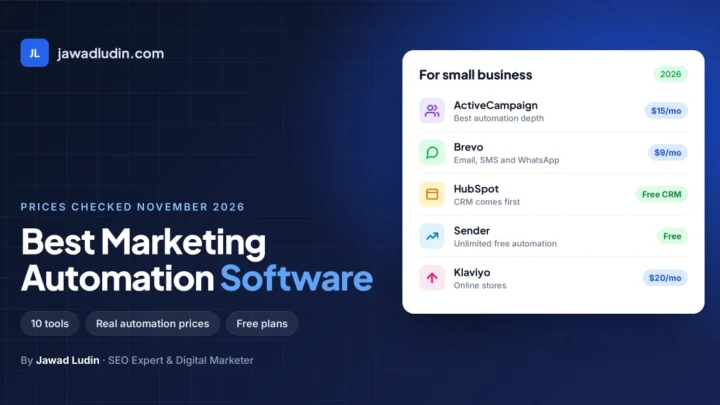
ActiveCampaign is built around automation rather than treating it as an add-on. If automation is your main goal, compare the best marketing automation software first. You can trigger journeys from site visits, email engagement and purchases, branch them with conditions, score leads and move contacts through a built-in CRM. AI features help draft campaigns and sequences, though the output needs editing. Most users end up on Plus or higher, because Starter limits automation and segmentation and caps at 25,000 contacts.
Key features:
- Visual automation builder with branching and goals
- Lead scoring and built-in CRM
- Conditional content inside emails
- AI assistance for drafts and sequences
Limitations: There is a real learning curve, no free plan, and costs climb steeply with contacts (Starter is roughly $150 to $190 a month at 10,000 contacts). Send limits are set at a multiple of your contact count.
5. Klaviyo: Best for Ecommerce at Scale
Best for: Online stores, especially on Shopify, that want data-driven flows and segmentation
Pricing: Free for up to 250 active profiles (500 emails and 150 SMS credits a month). Email plan from $20/month, Email + SMS from $35/month. Roughly $30 at 1,000 profiles, $150 at 10,000 and $720 at 50,000.
Website: klaviyo.com
Klaviyo syncs your catalog, orders and browsing behavior, then lets you segment on it: customers who bought one product but not another in the last 30 days, for example. Pre-built flows cover abandoned cart, browse abandonment, post-purchase and win-back, and predictive analytics estimate customer lifetime value and churn risk. Since 2025 it bills on active profiles, so prune inactive profiles regularly.
Key features:
- Deep Shopify and ecommerce integrations
- Pre-built revenue flows
- Predictive analytics and revenue attribution
- Email and SMS under one profile
Limitations: It gets expensive at scale, has a steeper learning curve for small shops, SMS credits are billed on top, and most of its value disappears if you do not sell products online.
6. Omnisend: Best for Budget-Friendly Ecommerce Email and SMS
Best for: Small and mid-size online stores that want ecommerce automation without Klaviyo’s price
Pricing: Free (250 contacts, 500 emails a month), Standard from $16/month for 500 contacts, Pro from $59/month.
Website: omnisend.com
Omnisend is built for stores. Onboarding walks you through connecting Shopify or WooCommerce, then hands you ready-made automations for welcome series, cart recovery, browse abandonment and post-purchase follow-up. Email and SMS run in the same workflow, product blocks pull directly from your catalog, and sales attribution shows which campaigns earned revenue. Even the free plan includes automation and landing pages, though the sending allowance is small.
Key features:
- Library of ready-made ecommerce automations
- Email, SMS and push in one workflow
- Product blocks and revenue reporting
- 24/7 support
Limitations: It is not designed for non-ecommerce use, SMS credits are separate, advanced segmentation and reporting trail Klaviyo, and costs rise as you unlock more.
7. Kit: Best for Creators
Best for: Bloggers, YouTubers, podcasters and course creators who sell to an audience
Pricing: Free Newsletter plan (up to 10,000 subscribers). Creator from $39/month ($33 billed annually) and Pro from $79/month ($66 annually), both at 1,000 subscribers. Creator is roughly $89 at 5,000.
Website: kit.com
Kit (formerly ConvertKit) was built for people whose audience is the business. Tag-based subscriber management, clean landing pages and forms, and built-in tools to sell digital products and paid newsletters make it a natural fit. Its plain, text-first emails read like personal notes rather than ads. The free plan is generous on subscribers but, since September 2026, no longer includes automations, so welcome sequences need a paid plan.
Key features:
- Free plan up to 10,000 subscribers
- Tagging and visual automations on paid plans
- Sell digital products, subscriptions and paid newsletters
- Landing pages and forms for list growth
Limitations: Design flexibility is limited, free emails carry Kit branding and require recommendations from other creators, analytics are basic, and prices rise quickly as your list grows.
8. beehiiv: Best for Newsletter Publishers
Best for: Writers and media businesses that want growth and monetization tools built in
Pricing: Free up to 2,500 subscribers with unlimited sends. Since October 1, 2026 the paid plans are Lite (from about $59/month at 1,000 subscribers) and Pro (from about $149/month at 2,500). Enterprise is custom.
Website: beehiiv.com
beehiiv combines a publishing platform, website and email sender. Its referral program, recommendation network and ad network are the reason many publishers pick it over a general-purpose tool. On October 1 it renamed Launch to Free, Scale to Lite and Max to Pro, and raised prices for new customers, while existing customers keep their old rate until a renewal on or after November 1. If you are comparing newsletter tools, check the current pricing page rather than any review written before October.
Key features:
- Newsletter website with custom domain support
- Referral program and recommendation network
- Ad network and paid subscriptions
- Unlimited sends on every plan
Limitations: Automation is limited, the jump from free to Lite is steep with no middle tier, it is a poor fit for product or ecommerce emails, and the October price rise upset some users.
9. Constant Contact: Best for Local Businesses and Live Support
Best for: Local businesses, nonprofits and event-driven organizations that value human support
Pricing: Lite $12/month, Standard $35/month, Premium $80/month. There is a 30-day free trial but no free plan.
Website: constantcontact.com
Constant Contact is easy to learn and strong where small organizations need it: hundreds of templates, event promotion, social posting, SMS, a Canva integration and live chat or phone help. Its AI campaign builder can turn one prompt into a coordinated email, SMS and social campaign, though that sits on the Standard plan. It is less suited to complex customer journeys.
Key features:
- 600+ templates and a simple editor
- Event marketing, forms and landing pages
- AI campaign builder across email, SMS and social
- Human support by chat and phone
Limitations: There is no free plan, A/B testing is limited, automation is less flexible than ActiveCampaign or Brevo, and the best features need Standard or Premium.
10. HubSpot: Best for CRM-Led B2B Teams
Best for: B2B teams that want email tied directly to contacts, deals and sales reporting
Pricing: Free (1,000 contacts, 2,000 emails a month, HubSpot branding), Marketing Hub Starter from about $20/month, Professional from $890/month.
Website: hubspot.com
HubSpot’s advantage is the CRM underneath. Every email is logged on the contact record, you can segment on any CRM property such as lifecycle stage or deal stage, and reporting can connect campaigns to revenue. The free CRM is genuinely useful. The email side of the free plan is basic, though.
Key features:
- Native CRM, forms and sales tools
- Segmentation on CRM data
- Custom reporting tied to deals
- Large integration marketplace
Limitations: The free plan cannot authenticate your sending domain with SPF and DKIM, advanced automation is expensive, pricing scales with marketing contacts, and it is overkill if you only need email.
11. GetResponse: Best for Webinars and Funnels
Best for: Coaches, course creators and B2B marketers who educate prospects before selling
Pricing: Free (500 contacts, 2,500 emails a month), paid plans from $19/month, Marketer from $59/month and Creator from $69/month for unlimited automation and ecommerce features.
Website: getresponse.com
GetResponse goes beyond newsletters. Built-in webinar hosting, conversion funnels, landing pages, a website builder and paid newsletters let you run an entire lead-to-sale journey in one place. The free plan includes a website and landing page builder, but no automation.
Key features:
- Webinars and conversion funnels
- Landing pages with A/B testing
- Website builder
- AI tools across email and pages
Limitations: Entry plans lock most automation, small lists feel expensive, and the interface can overwhelm beginners.
12. Sender: Best Free Plan for Small Senders
Best for: Small businesses and stores that want the most generous free allowance
Pricing: Free for up to 2,500 subscribers and 15,000 emails a month. Paid plans start at about $7/month.
Website: sender.net
Sender is a simple, no-nonsense tool with a surprisingly generous free plan: unlimited automation, signup forms and templates, including abandoned cart flows. It combines email and SMS, supports transactional email and lets you split-test inside automations.
Key features:
- 2,500 subscribers and 15,000 emails a month free
- Unlimited automation on the free plan
- Email and SMS in one workflow
- Transactional email from the same account
Limitations: Free emails carry Sender branding, the editor is basic, there is no built-in CRM, the integration library is smaller, and dedicated IPs require the Professional plan.
Other Email Marketing Tools Worth a Look
A few more tools fit narrower needs and did not make the main list:
- AWeber: free for up to 500 subscribers and 3,000 emails a month, with phone support included and a large template library. A good pick if you want to talk to a person.
- EmailOctopus: free for up to 2,500 subscribers and 10,000 emails a month, with very low paid prices. Features are basic and support is limited after the first 30 days.
- Mailmodo: AI-assisted automation and interactive AMP emails, with a free plan for 500 contacts and 2,000 emails a month.
- Campaign Monitor: brand controls and template locking for agencies managing several clients.
- SaaS and developer tools: Customer.io (behavioral messaging from about $100/month), Loops, Resend and Postmark suit product teams that need lifecycle or transactional email triggered by what users do in an app.
Free Email Marketing Plans Compared
Free plans are the main reason people search for free email marketing tools, and they are also the part of this market that changes fastest. Several tools below changed their free plans between June and October 2026, so treat older reviews with caution.
| Tool | Free plan limits | What is missing |
|---|---|---|
| Sender | 2,500 subscribers, 15,000 emails a month | Sender branding, basic editor |
| Kit | 10,000 subscribers, unlimited emails | Automations, Kit branding |
| Brevo | Up to 100,000 contacts, 300 emails a day | Brevo branding, limited reporting and automation |
| beehiiv | 2,500 subscribers, unlimited sends | Automations, A/B testing, monetization tools |
| HubSpot | 1,000 contacts, 2,000 emails a month | HubSpot branding, no SPF/DKIM authentication |
| GetResponse | 500 contacts, 2,500 emails a month | Automation, one landing page only |
| MailerLite | 250 subscribers, 2,500 emails a month | Capped at 3 automations, 3 forms, 1 landing page |
| Mailchimp | 250 contacts, 500 emails a month | Automation, scheduling, A/B testing |
| Omnisend | 250 contacts, 500 emails a month | Very small sending allowance |
| Klaviyo | 250 active profiles, 500 emails a month | Higher volume, Klaviyo branding |
The pattern is clear: either a free plan gives you room to grow but withholds automation (Kit, beehiiv), or it gives you automation but little sending room (Omnisend, MailerLite). Sender and Brevo are the two that balance both reasonably well.
AI Features in Email Tools: What Helps and What Is Hype
Nearly every platform now includes AI. Mailchimp offers generative tools on Standard and above, MailerLite added an AI writing assistant to Comfort, ActiveCampaign drafts campaigns and automations, Constant Contact builds a multi-channel campaign from one prompt, and Brevo and Mailmodo have their own assistants.
What helps: first drafts, subject line ideas, send-time optimization, segment suggestions and summaries of campaign results.
What is hype: letting AI write and send entire campaigns without review, or paying for a higher tier mainly because it carries an AI label. Treat AI as an assistant that speeds up drafting. You still own the facts, the brand voice and the consent behind every send.
Deliverability: What Your Email Tool Must Help You Set Up
A beautiful email that lands in spam earns nothing, and the tool you choose affects whether that happens. Google expects all senders to authenticate, and senders of more than 5,000 messages a day to Gmail users need SPF, DKIM and DMARC plus one-click unsubscribe. If those records are new to you, start with these email authentication basics.
Before you commit, check four things:
- Can you authenticate your own sending domain on the plan you are buying? HubSpot’s free plan cannot.
- Does the tool handle unsubscribes, bounces and spam complaints automatically?
- Is a dedicated IP available, and on which plan? Sender reserves it for Professional.
- Does it guide you through DNS setup, or leave you to work it out?
Side-by-Side Comparison Table
| Tool | Best For | Starting Price | Free Option | Priced By |
|---|---|---|---|---|
| Brevo | Value, all-in-one | $9/mo | 300 emails/day | Emails sent |
| MailerLite | Beginners | ~$12/mo | 250 subs | Active subscribers |
| Mailchimp | Familiar all-rounder | $13/mo | 250 contacts | Contacts |
| ActiveCampaign | Automation and CRM | $19/mo ($15 annual) | 14-day trial | Contacts |
| Klaviyo | Ecommerce at scale | $20/mo | 250 profiles | Active profiles |
| Omnisend | Budget ecommerce | $16/mo | 250 contacts | Contacts |
| Kit | Creators | $39/mo ($33 annual) | 10,000 subs (no automation) | Subscribers |
| beehiiv | Newsletter publishers | ~$59/mo | 2,500 subs | Subscribers |
| Constant Contact | Local business, support | $12/mo | 30-day trial | Contacts |
| HubSpot | CRM-led B2B | ~$20/mo | 1,000 contacts | Marketing contacts |
| GetResponse | Webinars, funnels | $19/mo | 500 contacts | Contacts |
| Sender | Biggest free plan | ~$7/mo | 2,500 subs | Subscribers |
Prices reflect published figures checked in October 2026 and change without notice. Starting prices usually apply to the smallest list tier, so confirm the price at your own list size on the vendor’s pricing page.
Three Email Marketing Tool Stacks for Any Budget
The $0 stack (new lists and learners): Sender or Brevo for sending, Google Analytics 4 with tagged links to see which emails drive visits, and a free sign-up form on your site. Posts that point followers to that form are one of the quickest ways to grow a new list, and the best social media marketing tools make them easy to schedule. If your list is under 250, MailerLite’s free plan is also a good place to learn.
The lean stack (about $15 to $60/month): Brevo Starter or Standard, or MailerLite Comfort, for a small business. Kit Creator suits creators. Add Google Analytics 4 and a custom sending domain with SPF, DKIM and DMARC. If you also need low-cost tools for social media, SEO and design, these cheap digital marketing tools fit the same budget.
The growth stack (about $100 to $400/month): ActiveCampaign Plus or Pro for journeys and CRM, or Klaviyo for an online store, plus a dedicated transactional service if you run an app. Exact cost depends heavily on list size, so price it at your real contact count.
If you also need analytics, design and social tools, see the best digital marketing tools for small businesses.
How to Choose the Right Email Marketing Tool
1. Start with the job, not the brand. Write down what you need email to do: send a newsletter, recover carts, nurture leads or sell digital products. Buy for that job first.
2. Price your real list. Multiply contacts by monthly sends, then check the price at that volume and at double the list size.
3. Test the free plan with a real campaign. Build one email, one signup form and one automation. If the free plan blocks any of them, you have found your upgrade trigger. Put the form on pages that already get search traffic; the best SEO tools show which pages those are.
4. Map one automation before you buy. Can it send after signup, stop after purchase and segment by behavior on the plan you are choosing?
5. Check deliverability support. Confirm you can authenticate your domain and that unsubscribes and bounces are handled for you.
6. Check how you can leave. Make sure you can export contacts, templates and consent records before you commit.
7. Pay annually only after a month or two of use. Annual billing usually saves 10 to 20 percent, but only if you will keep using the tool.
How to Switch Email Marketing Tools Without Hurting Deliverability
Switching is more than exporting a list. Templates, forms, segments and automations often have to be rebuilt.
- Clean the list first. Remove hard bounces and long-inactive subscribers so you do not carry old problems into a new account.
- Authenticate the new platform. Add its SPF, DKIM and DMARC records before sending anything.
- Move consent records. Keep proof of when and how each person subscribed.
- Rebuild automations one at a time. Start with your welcome series, then test each with a dummy contact.
- Ramp up gradually. Send to your most engaged subscribers first and increase volume over a few campaigns rather than sending to everyone on day one.
Common Mistakes When Buying Email Marketing Tools
- Comparing starting prices instead of the price at your real list size.
- Building important automations on a free plan that can shrink without notice.
- Importing a bought or scraped list, which breaks consent rules and wrecks deliverability.
- Skipping SPF, DKIM and DMARC setup.
- Paying for advanced automation you never build.
- Letting unsubscribed or inactive contacts inflate your bill.
- Judging success by open rate alone, when privacy features in mail apps can inflate opens.
Conclusion: Which Email Marketing Tool Should You Choose?
The best email marketing tool is the one that fits your list size, your goals and your budget: Brevo for overall value, MailerLite for an easy start, ActiveCampaign for advanced automation and Klaviyo for online stores. Start with one tool, send a real campaign, and upgrade only when a real limit slows you down.
If you want help choosing a platform and fitting email into a wider plan, explore digital marketing services from Jawad Ludin or request a free consultation.
Frequently Asked Questions
What is the best email marketing tool overall?
There is no single best tool, but Brevo offers the best overall value for most small businesses: a free plan, send-based pricing, and email, SMS and CRM in one account. ActiveCampaign is stronger for complex automation, Klaviyo for online stores and Kit for creators.
What is the best free email marketing tool?
Sender has the most generous all-round free plan, with 2,500 subscribers, 15,000 emails a month and unlimited automation. Kit allows the most subscribers (10,000) but no automations, and Brevo allows up to 300 emails a day to as many as 100,000 contacts.
Which email marketing tool is best for beginners?
MailerLite has one of the gentlest learning curves, with a clean editor and simple automation. Mailchimp is familiar to many teams, and Sender is another easy option with a larger free allowance.
What is the best email marketing tool for ecommerce?
Klaviyo is the strongest choice for stores that want deep segmentation and predictive analytics, especially on Shopify. Omnisend is a lower-cost alternative with ready-made ecommerce automations and built-in SMS.
How much do email marketing tools cost?
Many offer a free plan, and paid plans commonly start between $9 and $20 a month for small lists. Costs then rise with list size or send volume. Klaviyo, for example, runs about $150 a month at 10,000 active profiles, and premium tiers such as Mailchimp Premium ($350) and HubSpot Professional ($890) start much higher.