Search “best SEO tools” and you will find lists of 12, 25 or even 50 platforms, almost all of them ending in a free-trial button. Pick wrong and you pay $140 a month for a dashboard you open twice, or you stack four overlapping subscriptions that all report the same keyword volumes.
The truth is that SEO tools are not interchangeable. A keyword tool, a site crawler, a backlink database and an AI visibility tracker solve different jobs, and the price gap between them is enormous: some of the most useful tools cost nothing, while enterprise platforms run past $1,500 a month. The right choice depends on three things: the job you need done, your budget, and how much SEO knowledge you already have.
Quick answer: The best SEO tools in 2026 are Semrush for an all-in-one platform, Ahrefs for backlinks and competitor research, and Google Search Console as the best free tool. For beginners and small budgets, choose Mangools; for technical audits, Screaming Frog. Prices and features below were last checked on October 15, 2026.
This guide compares 10 of the best SEO tools in 2026 on exactly those terms. Each entry shows who it is best for, what it costs, where it falls short, and what to pair it with.
The 10 Best SEO Tools in 2026: Quick List
- Semrush: best all-in-one SEO platform
- Ahrefs: best for backlinks and competitor research
- Google Search Console: best free SEO tool
- Screaming Frog SEO Spider: best for technical SEO audits
- Mangools: best for beginners and small budgets
- SE Ranking: best for local SEO and agencies
- Surfer: best for content optimization
- Rank Math and Yoast SEO: best for WordPress sites
- AnswerThePublic: best for question and intent research
- SEOptimer: best for quick site audits
Also covered below: free Google tools worth setting up on day one, and tools that track your visibility in ChatGPT, Gemini and Perplexity.
How I Ranked These SEO Tools
Job fit: Does the tool do its core job (research, audit, tracking or content) better than the alternatives at the same price?
Value: What do you actually get at the entry price, and what is locked behind the next tier up?
Ease of use: Can a beginner get a useful answer in the first session, or does it need training?
Data trust: Is the data large and fresh enough to guide real decisions? Remember that every tool estimates traffic and volume, so no tool is the ground truth.
AI search readiness: Does the tool help you see how AI assistants and AI Overviews mention your brand? In 2026 this is a real buying factor, not a gimmick.
What Are SEO Tools (and Which Type Do You Need)?
An SEO tool is any software that helps you earn more visibility in search engines. Most fall into six types:
- Keyword research tools show what people search for, how often, and how hard it is to rank.
- Backlink and competitor tools reveal who links to you and your rivals, and which pages win traffic.
- Rank trackers monitor your positions for chosen keywords over time.
- Site audit and crawl tools find technical problems such as broken links, slow pages and indexing errors.
- Content optimization tools score your draft against pages that already rank.
- AI visibility trackers show whether AI answers mention or cite your brand.
All-in-one platforms like Semrush and Ahrefs cover most of these. Specialist tools cover one or two, usually at lower cost. If you are new to the whole topic, start with the free tools covered later in this guide, since they teach you what good keyword, indexing and speed data looks like before you spend money on software.
Do You Need Paid SEO Tools?
Not always. A new site with fewer than 50 pages can get surprisingly far with free tools: Google Search Console shows your real queries and indexing status, Google Analytics shows behavior, PageSpeed Insights flags speed problems, and Google Trends shows demand shifts.
Paid tools earn their price when you need what Google will not give you: competitor data, backlink analysis, keyword difficulty scores, scheduled rank tracking, and bulk analysis across many pages. If you would rather hand the setup and strategy to a specialist, see SEO services from Jawad Ludin.
The 10 Best SEO Tools in 2026
1. Semrush: Best All-in-One SEO Platform
Best for: Marketers and small teams who want keyword research, competitor analysis, site audits and rank tracking in one login
Pricing: Pro $139.95/month ($117.33/month billed annually), Guru $249.95/month, Business $499.95/month. Semrush One, which bundles AI visibility, starts around $199/month. Extra users cost $45 to $100/month depending on plan.
Website: semrush.com
Semrush is the closest thing the industry has to a default. Its Keyword Magic Tool generates enormous keyword lists with volume, difficulty and intent, Position Tracking monitors daily ranking changes, and Site Audit crawls your pages for technical issues. Keyword Gap and Backlink Gap show what competitors rank for and who links to them, so you can see missed opportunities in minutes. Beyond SEO it also covers PPC research, social and content planning, which makes it handy if you run Google Ads alongside organic search.
Key features:
- Keyword research with intent labels and difficulty scores
- Daily position tracking by location and device
- Site Audit with prioritized fixes
- Keyword Gap and Backlink Gap competitor reports
- AI visibility tracking through Semrush One or the AI Visibility Toolkit (about $99 per domain as an add-on)
Limitations: Pro has tight limits (5 projects, 500 tracked keywords), content tools sit in higher tiers, and AI tracking costs extra. The interface can overwhelm beginners.
2. Ahrefs: Best for Backlinks and Competitor Research
Best for: SEOs who live in link data and competitor analysis
Pricing: Starter $29/month, Lite $129/month, Standard $249/month, Advanced $449/month, Enterprise $1,499/month
Website: ahrefs.com
Ahrefs is built around one of the largest backlink databases in the industry, and it shows. Site Explorer lets you drop in any domain and see its top pages, ranking keywords and the sites linking to it. Content Gap compares your keywords against competitors, and Link Intersect shows which sites link to your rivals but not to you. Its Brand Radar feature, included on paid plans, tracks whether AI assistants mention your brand.
Key features:
- Deep backlink and referring-domain analysis
- Content Gap and Link Intersect tools
- Historical ranking charts
- Brand Radar for AI mentions
- Cheap $29 entry plan for solo users
Limitations: The cheapest plan is restrictive, rank tracking refreshes weekly, and advanced reporting costs extra. If you also want PPC or social tools, Semrush covers more ground.
3. Google Search Console: Best Free SEO Tool
Best for: Every website owner, from day one
Pricing: Free
Website: search.google.com/search-console
No paid tool can match Search Console on one thing: it shows real data straight from Google. You see the exact queries your site appears for, clicks, impressions, average position, indexing status, Core Web Vitals and manual actions. Use it to find pages stuck on page two, spot queries you rank for by accident, and confirm that new posts are indexed.
Key features:
- Real query, click and impression data
- Index coverage and URL inspection
- Core Web Vitals and mobile usability reports
- Sitemap submission and security alerts
Limitations: It only reports on your own site, shows no competitor data, keeps limited history, and offers no keyword difficulty scores. Pair it with a research tool.
4. Screaming Frog SEO Spider: Best for Technical SEO
Best for: Technical audits, migrations and large sites
Pricing: Free for up to 500 URLs; paid license about $279/year
Website: screamingfrog.co.uk
Screaming Frog is a desktop crawler that behaves like a search engine bot. It finds broken links, redirect chains, duplicate titles, missing meta descriptions, thin pages and orphaned content. It connects to Search Console and Analytics so you can overlay traffic on crawl data, and it can run custom extractions to pull any element from a page. For sites built on Elementor or other page builders, it is a quick way to catch bloated or broken templates.
Key features:
- Full-site crawl with hundreds of issue checks
- Search Console and Analytics integration
- Custom extraction and bulk exports
- Crawl comparison for before-and-after checks
Limitations: The interface looks dated, the learning curve is real, and it runs on your computer rather than in the cloud.
5. Mangools: Best for Beginners and Small Budgets
Best for: Freelancers, bloggers and small sites that want clean, simple data
Pricing: Roughly $38 to $49/month depending on billing; free account with limited lookups
Website: mangools.com
Mangools bundles five tools (KWFinder, SERPChecker, SERPWatcher, LinkMiner and SiteProfiler) in a bright, uncluttered interface. KWFinder is the star: type a keyword and get volume, difficulty and long-tail suggestions without a wall of numbers. It is the gentlest way to learn what good keyword research looks like.
Key features:
- KWFinder for low-competition keyword ideas
- SERPChecker to judge ranking difficulty
- Backlink lookups with LinkMiner
- Free mini-tools and an AI search grader
Limitations: Daily lookup limits on lower plans, no technical site crawler, and weekly rank updates on most plans.
6. SE Ranking: Best for Local SEO and Agencies
Best for: Local businesses and agencies tracking many locations or clients
Pricing: Paid plans from roughly $129/month in recent published pricing; AI search is a separate add-on. Check the live pricing page, as SE Ranking changes plans often.
Website: seranking.com
SE Ranking packs rank tracking, site audits, backlink checks and competitor research into one platform, with strong local features: multi-location tracking, Google Business Profile monitoring and review management. White-label reporting makes it popular with agencies.
Key features:
- Multi-location rank tracking
- Google Business Profile and review tools
- White-label client reports
- AI results tracking through an add-on
Limitations: Data depth does not match Semrush or Ahrefs, and reporting is more basic than premium tools.
7. Surfer: Best for Content Optimization
Best for: Writers and content teams who want to match what already ranks
Pricing: Discovery $49/month, Standard $99/month, Pro about $182/month, billed annually; AI visibility tracking available standalone from about $158/month
Website: surferseo.com
Surfer analyzes the pages ranking for your keyword and shows you the structure, terms and length they share. Its Content Editor scores your draft live and suggests related terms and headings, while Keyword Research groups topics by intent and the SERP Analyzer breaks down what top pages have in common. Its AI Tracker also watches how your brand appears across AI engines.
Key features:
- Live content score and term suggestions
- Keyword clustering by intent
- SERP Analyzer for top-ranking pages
- Export to WordPress and Google Docs
Limitations: Credits do not roll over, document limits cap output, and chasing the score can push writers toward over-optimized, robotic copy. Use it as a guide, not a rulebook.
8. Rank Math and Yoast SEO: Best for WordPress Sites
Best for: WordPress site owners who want on-page SEO handled inside the editor
Pricing: Both have free versions; Yoast Premium starts around $99/year
Website: rankmath.com | yoast.com
If your site runs on WordPress, a good SEO plugin is the cheapest win available. Both plugins handle title tags, meta descriptions, XML sitemaps, canonical URLs, schema markup and a content checklist as you write. Rank Math includes redirects, 404 monitoring and more schema types in its free version, while Yoast is known for its readability checks and long track record. Install one, never both.
Key features:
- Title and meta description previews
- Automatic XML sitemaps and canonical tags
- Schema markup support
- On-page checklist while you write
Limitations: Green lights do not guarantee rankings, and the checklists can feel too prescriptive. Neither replaces keyword research or competitor analysis.
9. AnswerThePublic: Best for Question and Intent Research
Best for: Content planners who want to see the real questions behind a topic
Pricing: From about $13.33/month billed annually
Website: answerthepublic.com
AnswerThePublic turns a seed keyword into a visual map of questions, comparisons and prepositions. It also surfaces the prompts people type into AI assistants, which helps you write sections that answer questions in the form people actually ask them. That makes it excellent for FAQs and People Also Ask coverage.
Key features:
- Question, preposition and comparison wheels
- Autocomplete data from search engines and social platforms
- AI prompt research
- Search trend alerts
Limitations: It covers keyword research only: no rank tracking, audits or backlinks.
10. SEOptimer: Best for Quick Site Audits
Best for: Small businesses and freelancers who want a graded, plain-English audit
Pricing: From about $29/month
Website: seoptimer.com
Paste in a URL and SEOptimer returns a graded report in about a minute, covering on-page SEO, speed, usability, backlinks and social signals, with a prioritized fix list. Its white-label and embeddable audit forms suit freelancers who want to capture leads.
Key features:
- A+ to F audit grades with clear recommendations
- Local SEO and Google Business Profile audits
- Basic AI search readiness checks
- White-label reports on higher plans
Limitations: It diagnoses problems but gives you few tools to fix them, and it is not a substitute for a full crawler.
Free Google Tools to Set Up on Day One
Before you spend anything, set these up:
- Google Search Console: real queries, indexing and Core Web Vitals.
- Google Analytics 4: traffic sources and on-site behavior.
- PageSpeed Insights and Lighthouse: speed and quality audits.
- Google Trends: spot rising and seasonal topics.
- Google Keyword Planner: volume ranges and ad-cost data, free with a Google Ads account.
- Bing Webmaster Tools: worth connecting, since Bing data feeds several AI products.
AI Search Visibility Tools: The New Category
Google rankings are no longer the whole story. A growing share of people ask ChatGPT, Gemini or Perplexity for recommendations, and Google’s own AI Overviews sit above the classic results. A new class of features tracks whether your brand is mentioned or cited in those answers.
You do not need a separate product to start. Semrush, Ahrefs, Surfer, SE Ranking and Mangools now include or sell AI visibility tracking, and several offer free checkers for a quick read. Standalone trackers cost roughly $99 to $158 a month. For most small sites, the practical move is to publish clear, well-structured answers, keep your facts current, and spot-check a few key prompts monthly before paying for tracking.
Side-by-Side Comparison Table
| Tool | Best For | Starting Price | Free Option | AI Visibility |
|---|---|---|---|---|
| Semrush | All-in-one SEO | $139.95/mo | Limited free account | Add-on / Semrush One |
| Ahrefs | Backlinks, competitors | $29/mo | Free webmaster tools | Brand Radar |
| Google Search Console | Real Google data | Free | Fully free | Limited reporting |
| Screaming Frog | Technical audits | ~$279/yr | 500 URLs | AI crawl options |
| Mangools | Beginners | ~$38-49/mo | Limited free | Separate tracker |
| SE Ranking | Local SEO, agencies | ~$129/mo | Trial | Add-on |
| Surfer | Content optimization | $49/mo | Trial | AI Tracker |
| Rank Math / Yoast | WordPress | Free / ~$99/yr | Yes | No |
| AnswerThePublic | Question research | ~$13.33/mo | Limited | AI prompt data |
| SEOptimer | Quick audits | ~$29/mo | Free audit | Basic checks |
Prices reflect published figures checked in October 2026 and change without notice. Always confirm on the vendor’s pricing page.
Three SEO Tool Stacks for Any Budget
The $0 stack (new sites and learners): Google Search Console, Google Analytics 4, PageSpeed Insights, Google Trends, Rank Math (free), Screaming Frog (free, 500 URLs) and the free tiers of Mangools or AnswerThePublic. This is enough to publish well, fix technical basics and learn from real data.
The lean stack (about $50 to $100/month): Mangools or Ahrefs Starter for research, Rank Math, Search Console, and Screaming Frog. Ideal for solo bloggers, freelancers and small local businesses.
The growth stack (about $150 to $400/month): Semrush Guru or Semrush One, Screaming Frog, Surfer for content, plus Search Console. Built for teams publishing weekly and competing in crowded niches.
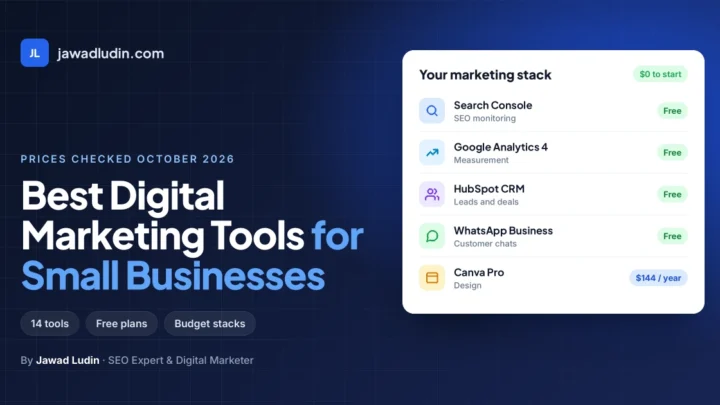
If you run a small business and also need email, analytics, design and social tools, see the best digital marketing tools for small businesses, which covers the wider stack with checked prices. If social media is your main channel, the best social media marketing tools compare schedulers, inboxes and analytics in more detail.
How to Choose the Right SEO Tool
1. Start with the job, not the brand. Write down your biggest problem: no traffic, unknown competitors, technical errors, or weak content. Buy for that job first.
2. Use the free tier before paying. Search Console plus a free trial tells you quickly whether a paid tool adds anything.
3. Count seats and limits. Extra users, tracked keywords and project caps are where the real price appears.
4. Check the data for your market. Keyword databases are strongest in the US and Western Europe. For smaller markets or less common languages, volumes can be thin or missing, so lean on Search Console and Google autocomplete as well.
5. Pay annually only after a month of use. Annual billing saves around 15 to 20 percent, but only if you will actually use the tool.
6. Do not over-collect. Two or three tools used well beat eight used rarely.
Common Mistakes When Buying SEO Tools
- Treating traffic and difficulty scores as facts instead of estimates.
- Buying an enterprise platform before the site has content worth tracking.
- Chasing content scores instead of writing for the reader.
- Ignoring technical health while publishing more articles.
- Paying for AI visibility tracking before the basics rank.
Frequently Asked Questions
What is the best SEO tool overall?
Semrush is the best all-in-one choice for most marketers because it covers keyword research, competitor analysis, audits and rank tracking in one platform. Ahrefs is the stronger pick if backlink research is your priority, and Google Search Console is the best free tool.
What is the best free SEO tool?
Google Search Console. It shows real Google query, click and indexing data at no cost. Add Google Analytics, PageSpeed Insights and Google Trends for a solid free setup.
Which SEO tool is best for beginners?
Mangools has the cleanest interface and the gentlest learning curve, and its free account lets you test it. Pair it with Search Console and a WordPress SEO plugin.
Is Semrush or Ahrefs better?
Semrush offers more features across SEO, PPC and content. Ahrefs has a cheaper entry plan and a famously strong backlink database. Many professionals use one as the main tool and check the other’s data occasionally.
How much do SEO tools cost?
From free (Search Console, Rank Math) to about $30 to $50 a month for entry tools, $130 to $250 a month for all-in-one platforms, and $1,500 or more for enterprise software.
Do I need AI SEO tools in 2026?
Not on day one. Focus on clear content, solid technical health and real rankings first. Add AI visibility tracking once you have pages worth monitoring.
Can SEO tools guarantee rankings?
No. Tools show you opportunities and problems. Rankings still depend on content quality, authority and search intent. Be wary of anyone who guarantees a first-page result.
Conclusion: Which SEO Tool Should You Choose?
The best SEO tool in 2026 is the one that matches your job and your budget: Semrush for an all-in-one platform, Ahrefs for backlinks, and Google Search Console as the free foundation every site needs. Use this decision guide:
- Starting free: Google Search Console plus Rank Math (or Yoast SEO)
- Learning SEO on a budget: Mangools
- Backlinks and competitor research: Ahrefs
- One platform for everything: Semrush
- Technical audits and site crawls: Screaming Frog SEO Spider
- Local SEO and agency reporting: SE Ranking
- Content optimization: Surfer
- Question and intent research: AnswerThePublic
- Quick, plain-English audits: SEOptimer
Start with one or two tools, track your results in Search Console for 90 days, and upgrade only when a real limit is slowing you down. Two tools used well beat eight used rarely.
Tools only show the map. Someone still has to turn the data into pages, fixes and a plan. If you want help choosing a stack and building a strategy around it, explore SEO services from Jawad Ludin, see the full range of digital marketing services, including Google Ads, content and analytics, or request an SEO consultation.

1 comment